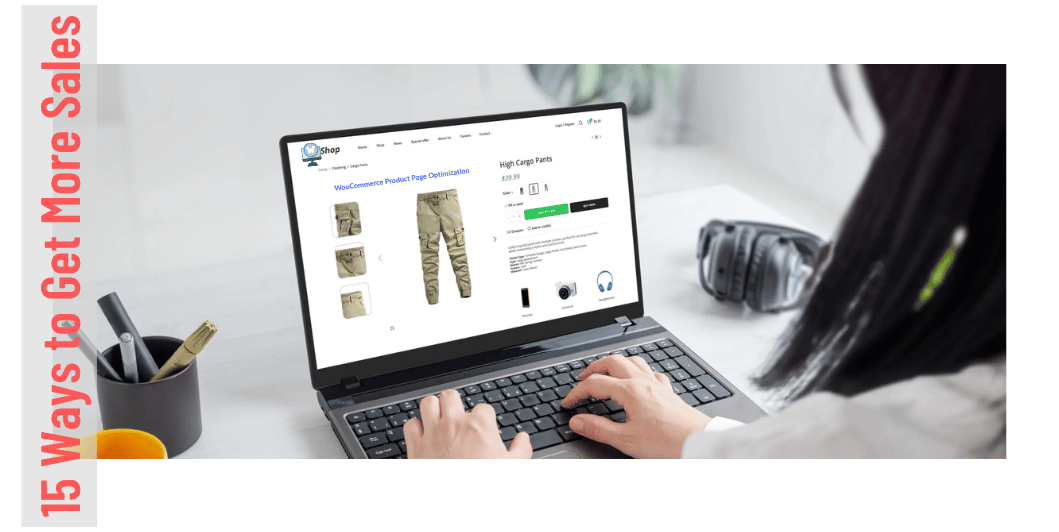
WooCommerce Product Page Optimization: 15 Ways to Get More Sales
Introduction
A customer visits your online store.
They find a product they’re interested in.
Then they open the product page.
This is where an important decision happens:
“Should I buy this?”
Your product page needs to answer that question clearly and quickly.
A well-optimized WooCommerce product page can improve customer confidence, increase conversions, reduce questions, and ultimately generate more sales.
In this guide, we’ll explore 15 practical ways to create WooCommerce product pages that are more useful, trustworthy, and conversion-friendly.
Why Product Page Optimization Matters
Your product page is one of the most important parts of your online store.
A good product page helps customers:
- Understand the product
- Evaluate its benefits
- Compare alternatives
- Understand pricing
- Check availability
- Learn about delivery
- Feel confident about purchasing
Even if you have excellent products and strong traffic, poor product pages can reduce sales.
Read Also: WooCommerce for Beginners
15 Ways to Optimize WooCommerce Product Pages
1. Write Clear Product Titles
Your product title should immediately tell customers what they’re looking at.
For example:
❌ Super Mouse
Better:
✅ Wireless Bluetooth Mouse with Silent Clicks for Laptop & PC
Keep titles descriptive without stuffing unnecessary keywords.
2. Use High-Quality Product Images
Online customers cannot physically examine your products.
Your images need to provide that visual confidence.
Consider using:
- Front and back views
- Side angles
- Close-up images
- Lifestyle images
- Product-in-use photographs
- Size or dimension references
Make sure images are properly compressed so they don’t slow down the website.
3. Add Product Videos Where Useful
A short product video can demonstrate things that images cannot.
For example:
- How a product works
- Product size
- Features
- Installation
- Unboxing
- Real-world usage
Video isn’t necessary for every product, but it can be extremely useful for products that require demonstration.
4. Write Benefit-Focused Descriptions
Don’t simply list specifications.
Explain why those specifications matter.
For example:
Feature: 10-hour battery life
Benefit: Use the device throughout your workday without constantly searching for a charger.
Features explain what a product has.
Benefits explain why the customer should care.
5. Make Important Information Easy to Find
Customers shouldn’t have to search through a long paragraph to find basic information.
Clearly display:
- Price
- Availability
- Size
- Color
- Specifications
- Delivery information
- Return information
Use bullet points and short sections where appropriate.
6. Create a Strong Add-to-Cart Button
Your primary call-to-action should be easy to see.
Examples:
Add to Cart
Buy Now
Use clear wording and make sure the button works properly on both desktop and mobile devices.
7. Display Pricing Clearly
Avoid confusing customers with unclear pricing.
Clearly show:
- Current price
- Original price when applicable
- Discount
- Applicable taxes or charges where relevant
If an offer has conditions, explain them clearly.
8. Add Genuine Customer Reviews
Customer reviews provide social proof.
Encourage genuine buyers to leave feedback about their experience.
Useful review elements include:
- Star ratings
- Written reviews
- Verified purchase indicators where available
- Product-specific comments
- Customer photos where appropriate
Never use fabricated reviews.
9. Show Product Availability
Customers want to know whether an item is actually available.
Use clear status information such as:
- In Stock
- Out of Stock
- Limited Availability
- Pre-Order
If stock is genuinely limited, you can communicate that fact without using misleading urgency.
10. Explain Shipping Information
Don’t wait until checkout to reveal important delivery information.
Where practical, show:
- Estimated delivery time
- Shipping cost
- Free shipping threshold
- Delivery locations
- Tracking availability
Clear shipping information can reduce purchase hesitation.
11. Make Your Return Policy Visible
A clear return policy can increase customer confidence.
Explain:
- Return period
- Eligible products
- Refund process
- Exchange options
- Return shipping responsibilities
Link to your complete policy for additional details.
Read Also: 15 Best WooCommerce Plugins
12. Optimize Product Page SEO
Each important product page should have a clear SEO structure.
Optimize:
Product Title
Use a descriptive title.
URL
Keep it short and readable.
Meta Title
Create a unique search-friendly title.
Meta Description
Explain why someone should click.
Images
Use descriptive filenames and appropriate alt text.
Content
Provide genuinely useful product information.
Avoid copying manufacturer descriptions word-for-word across multiple websites.
13. Add Related Products
Don’t let customers reach a dead end after viewing one product.
Show relevant products such as:
- Similar products
- Related accessories
- Frequently bought together items
- Alternative products
For example:
Laptop → Laptop Bag → Wireless Mouse → Keyboard
Relevant recommendations can increase average order value.
14. Add FAQs
Product-specific FAQs can remove common objections.
For example:
Is this product compatible with Windows?
Yes, it supports compatible versions of Windows.
Does it come with a warranty?
Warranty information should be clearly stated according to the manufacturer’s or seller’s actual terms.
How long does delivery take?
Provide an accurate estimated delivery period based on the customer’s location.
FAQs can improve both customer experience and search visibility when the content is genuinely useful.
Read Also: WooCommerce Shipping Setup
15. Test Your Product Page on Mobile
A product page that looks great on desktop may not work well on a smartphone.
Check:
- Image size
- Product variations
- Add-to-cart button
- Product description
- Reviews
- Shipping information
- Checkout flow
Make sure customers can complete the purchase comfortably using a mobile device.
Example of a High-Converting Product Page Structure
A simple product page could follow this structure:
Product Name
↓
Product Images / Video
↓
Price + Availability
↓
Key Benefits
↓
Product Variations
↓
Add to Cart / Buy Now
↓
Shipping Information
↓
Product Description
↓
Specifications
↓
Reviews
↓
FAQs
↓
Related Products
This structure gives customers the information they need without making the page unnecessarily complicated.
Product Page Optimization for Mobile
Mobile shoppers need a particularly smooth experience.
Make sure:
- Text is readable
- Buttons are large enough
- Images load quickly
- Product variations are easy to select
- Important information isn’t hidden
- Checkout is simple
Test the page using an actual smartphone rather than relying only on desktop previews.
Common WooCommerce Product Page Mistakes
Avoid these problems:
❌ Poor-quality product images
❌ Copying generic manufacturer descriptions
❌ Hidden shipping costs
❌ No customer reviews
❌ Weak product titles
❌ Complicated product variations
❌ Tiny Add to Cart buttons
❌ Too many distracting popups
❌ Slow-loading pages
❌ No return or warranty information
Product Page Conversion Checklist
Before publishing a product, check:
- Clear product title
- High-quality images
- Product video where useful
- Unique description
- Key benefits listed
- Price clearly displayed
- Stock status visible
- Variations configured
- Shipping information available
- Return policy accessible
- Genuine reviews displayed
- SEO metadata optimized
- Related products added
- Mobile layout tested
- Add-to-cart process tested
How to Measure Product Page Performance
Don’t assume that a beautiful product page is automatically a successful one.
Monitor metrics such as:
- Product page views
- Add-to-cart rate
- Checkout rate
- Conversion rate
- Revenue per product
- Bounce or engagement metrics
- Traffic sources
For example, if a product receives thousands of visits but very few people add it to their cart, investigate the page.
Possible problems could include:
- Poor pricing
- Weak product information
- Lack of trust
- Poor images
- Unexpected shipping costs
- Technical problems
Frequently Asked Questions
Read Also: How to Manage Customers and Increase Sales
How long should a WooCommerce product description be?
There is no perfect word count. Include enough useful information to answer customer questions and support the buying decision.
Do product images affect sales?
Yes. High-quality images can help customers understand products and increase purchase confidence.
Should I include customer reviews?
Yes, genuine reviews can provide valuable social proof and help customers make informed decisions.
Should every product have an FAQ section?
Not necessarily. Add FAQs when customers have recurring questions or when additional information would genuinely help them make a decision.
Does product page SEO help WooCommerce stores?
Yes. Well-optimized product pages can improve search visibility and help potential customers discover your products through search engines.
Final Thoughts
Your WooCommerce product page is where interest can turn into revenue.
Don’t treat it as simply a place to display a product.
Treat it as a sales page, information resource, and trust-building tool.
Use strong images, useful descriptions, transparent pricing, genuine reviews, clear shipping information, and a simple buying process.
Then measure your results and continue improving.
Better product pages → More confident customers → Better conversions → More sales.