
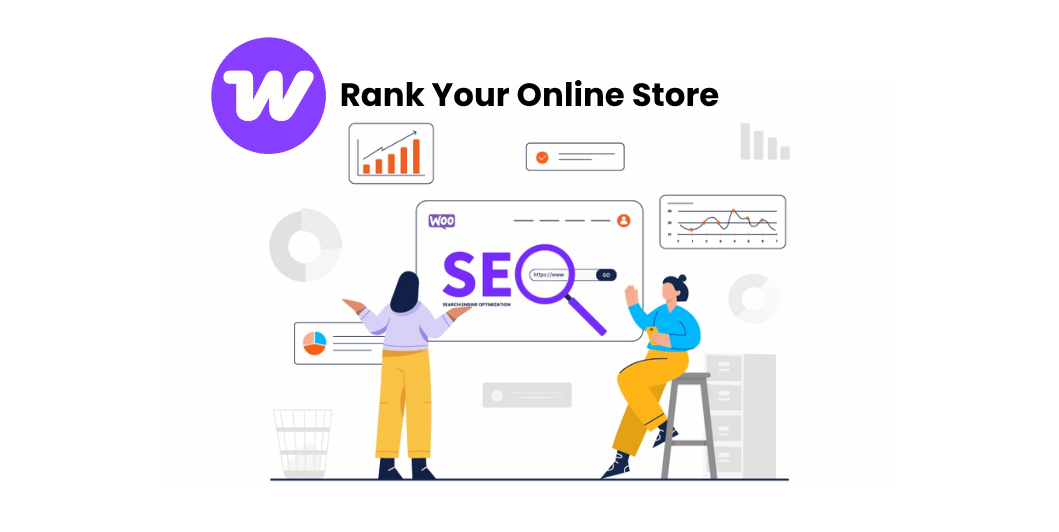
WooCommerce SEO: The Complete Guide to Ranking Your Online Store on Google (2026)
Introduction
Launching an online store is only the beginning.
The real challenge is getting customers to find your products.
Thousands of online stores compete for attention every day, and without proper SEO, even excellent products can remain invisible in search results.
WooCommerce provides a solid foundation for SEO, but success depends on how well you optimize your store.
This guide covers the most important WooCommerce SEO techniques to help your products rank higher and attract more qualified visitors.
What Is WooCommerce SEO?
WooCommerce SEO is the process of optimizing your online store so that products, categories, and pages appear higher in search engine results.
A successful SEO strategy helps customers discover your store without relying only on paid advertising.
It includes improving:
- Product pages
- Category pages
- Website speed
- Technical SEO
- Internal linking
- User experience
Read Also: WooCommerce for Beginners
Why WooCommerce SEO Matters
SEO helps your store:
- Increase organic traffic
- Reduce advertising costs
- Build long-term visibility
- Improve customer trust
- Generate consistent sales
- Reach customers searching for your products
Unlike paid ads, strong SEO can continue bringing visitors over time.
1. Choose SEO-Friendly Product Titles
Your product title should clearly describe the item while naturally including relevant keywords.
Example:
❌ Wireless Mouse
✅ Wireless Bluetooth Mouse for Laptop and PC
Avoid keyword stuffing.
2. Write Unique Product Descriptions
Every product should have its own original description.
Include:
- Features
- Benefits
- Specifications
- Usage information
- Frequently asked questions
Helpful content improves both SEO and customer confidence.
3. Optimize Product URLs
Keep URLs:
- Short
- Descriptive
- Easy to read
Example:
yourstore.com/wireless-bluetooth-mouseAvoid unnecessary numbers or symbols.
Read Also: Technical SEO Made Simple
4. Optimize Product Images
For every image:
- Use descriptive filenames
- Add meaningful alt text
- Compress images
- Use modern formats where supported
Optimized images improve accessibility and page speed.
5. Create SEO-Friendly Categories
Well-organized categories help both visitors and search engines.
Example:
Electronics
→ Computer Accessories
→ Wireless Mice
A logical structure improves navigation.
6. Use Internal Linking
Connect related content such as:
- Product pages
- Category pages
- Buying guides
- Blog articles
Internal links help distribute authority across your website.
7. Improve Website Speed
Fast websites create a better shopping experience.
Optimize:
- Images
- Hosting
- Caching
- Theme performance
- Database
Performance improvements can support both SEO and conversions.
8. Make Your Store Mobile-Friendly
Many online purchases begin on mobile devices.
Ensure your store:
- Loads quickly
- Has readable text
- Uses easy-to-tap buttons
- Provides smooth checkout
9. Collect Customer Reviews
Reviews:
- Build trust
- Add fresh content
- Help shoppers make decisions
Encourage genuine reviews after successful purchases.
10. Optimize Category Pages
Don’t leave category pages empty.
Include:
- Short introductions
- Helpful descriptions
- Internal links
- Frequently asked questions
Category pages can rank for valuable keywords.
11. Add Structured Data
Structured data helps search engines understand your products.
It may enable rich search results showing:
- Ratings
- Prices
- Availability
Many SEO plugins can help implement structured data correctly.
12. Fix Broken Links
Regularly check for:
- Missing pages
- Broken images
- Incorrect redirects
A healthy website improves user experience.
13. Create Helpful Blog Content
Support your products with articles such as:
- Buying guides
- Product comparisons
- Maintenance tips
- Tutorials
Informational content can attract potential customers earlier in their buying journey.
14. Optimize Meta Titles & Descriptions
Every important page should have:
- A unique title
- A compelling meta description
- Relevant keywords
Good metadata can improve click-through rates.
15. Monitor SEO Performance
Track important metrics including:
- Organic traffic
- Keyword rankings
- Product page performance
- Conversion rates
- Search Console reports
Review your data regularly and refine your strategy.
Common WooCommerce SEO Mistakes
Avoid these mistakes:
- Duplicate product descriptions
- Missing image alt text
- Slow website speed
- Thin category pages
- Poor internal linking
- Ignoring mobile users
- Not updating old content
WooCommerce SEO Checklist
Before publishing your products, make sure you’ve:
✅ Optimized product titles
✅ Written unique descriptions
✅ Compressed images
✅ Added image alt text
✅ Created SEO-friendly URLs
✅ Added internal links
✅ Improved page speed
✅ Tested mobile responsiveness
✅ Added structured data
Frequently Asked Questions
Read Also: Website Speed Optimization
Is WooCommerce SEO-friendly?
Yes. WooCommerce works well with WordPress and supports many SEO best practices.
Which SEO plugin works well with WooCommerce?
Several well-maintained SEO plugins support WooCommerce. Choose one that fits your workflow and keep it updated.
How long does WooCommerce SEO take?
SEO is a long-term strategy. Results depend on factors such as competition, content quality, website authority, and ongoing optimization.
Should every product have a unique description?
Yes. Original product descriptions help search engines understand your content and provide a better experience for customers.
Final Thoughts
WooCommerce SEO is one of the most effective ways to grow your online store without relying entirely on paid advertising. By optimizing product pages, improving website performance, organizing your content, and publishing helpful resources, you can attract more qualified visitors and build long-term organic visibility.
Focus on creating useful content for shoppers first, monitor your results, and continue improving over time. Consistency is the key to sustainable eCommerce growth.

One Comment