
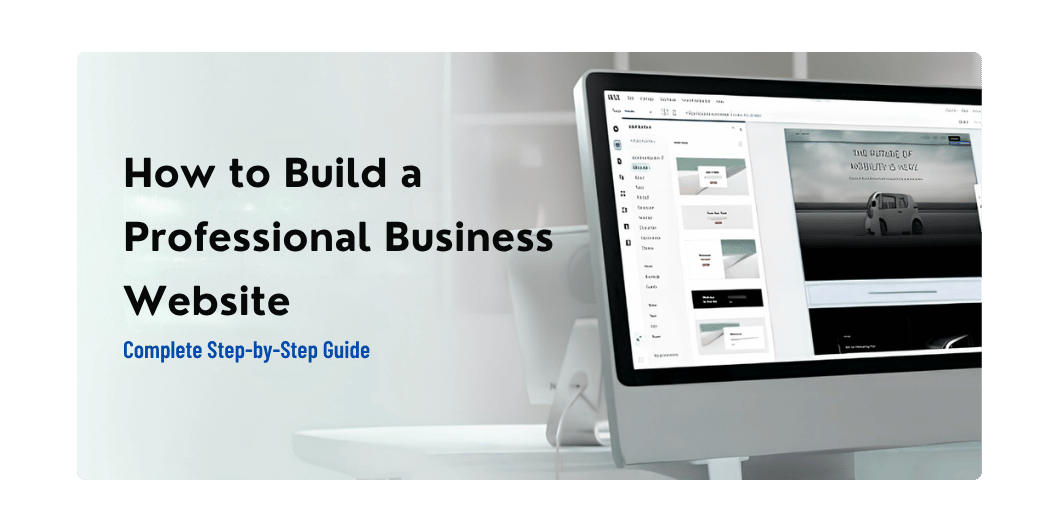
How to Build a Professional Business Website: Complete Step-by-Step Guide for 2026
Introduction
For many customers, your website is the first interaction they have with your business.
Before calling you, visiting your store, or requesting a quotation, potential customers may search for your business online.
Your website needs to answer some basic questions quickly:
- What does your business do?
- What products or services do you provide?
- Why should customers choose you?
- Where do you operate?
- How can someone contact you?
A professional website doesn’t need to be complicated.
It needs to be clear, trustworthy, fast, mobile-friendly, and designed around your customer’s needs.
In this guide, we’ll explain how to build a professional business website from planning to launch.
Read Also: Local SEO for Small Businesses
Why Does a Small Business Need a Website?
A professional website can work as your business’s digital home.
It can help you:
- Establish credibility
- Showcase products and services
- Generate leads
- Receive inquiries
- Provide business information
- Attract search traffic
- Support advertising campaigns
- Build your brand
Social media is useful, but your website gives you much more control over your content and customer experience.
Step 1: Define Your Website’s Goal
Before choosing colors, fonts, or themes, decide what the website needs to accomplish.
Your goal might be:
Lead Generation
Get customers to submit inquiries or request quotations.
Online Sales
Sell products through an eCommerce store.
Service Promotion
Explain your services and encourage customers to contact you.
Brand Building
Create a professional online presence.
Information
Provide business information, resources, and educational content.
A website can have multiple goals, but identify the primary goal first.
Step 2: Identify Your Target Audience
Think about the people you want to reach.
Ask:
- Who are they?
- What problem are they trying to solve?
- What information do they need?
- What might stop them from contacting you?
- What action do you want them to take?
For example, a website development company targeting small businesses should focus on:
- Simple explanations
- Clear pricing or quotation options
- Portfolio examples
- Trust signals
- Easy contact methods
Design the website around your audience—not around what looks impressive to the business owner.
Step 3: Choose a Domain Name
Your domain is your website’s address.
A good business domain should ideally be:
- Short
- Easy to remember
- Easy to spell
- Relevant to your brand
Avoid unnecessarily complicated domain names.
If your preferred .com isn’t available, other legitimate domain extensions can also work depending on your business.
Step 4: Choose Reliable Web Hosting
Your hosting provider stores your website and makes it accessible online.
Look for:
- Good performance
- SSL/HTTPS support
- Regular backups
- Security features
- Reliable uptime
- Good customer support
- Easy WordPress management if you’re using WordPress
Don’t choose hosting based only on the cheapest introductory price.
Step 5: Choose Your Website Platform
There are many ways to build a website.
Popular options include:
WordPress
Excellent for:
- Business websites
- Blogs
- Service websites
- eCommerce
- Content-heavy websites
Website Builders
Useful for people who want simplified website creation.
Custom Development
Suitable for businesses that require highly specific functionality.
For many small businesses, WordPress provides a good balance of flexibility, functionality, and cost.
Step 6: Plan Your Website Structure
Before designing individual pages, create a simple sitemap.
A typical business website might include:
Home
About Us
Services
Portfolio / Projects
Blog
Contact
Privacy Policy
Terms & Conditions
Depending on your business, you may also need:
- FAQ
- Pricing
- Testimonials
- Case Studies
- Careers
- Support
Don’t create pages just to make the website look bigger.
Every page should have a purpose.
Read Also: How to Get More Google Reviews
Step 7: Design a Professional Homepage
Your homepage is often the first page visitors see.
A strong homepage should communicate your value quickly.
A simple structure could be:
Hero Section
Clearly explain:
What you do + Who you help + What action visitors should take
Example:
Professional Websites for Growing Small Businesses
Then provide a clear CTA:
Get a Free Consultation
Services
Show your main services.
For example:
- Website Design
- Website Development
- eCommerce
- Digital Marketing
- Branding
Why Choose Us?
Explain what differentiates your business.
Portfolio
Show real examples of your work.
Testimonials
Display genuine customer feedback.
Call to Action
Give visitors a clear next step.
Step 8: Create a Strong Services Page
Don’t simply list your services.
Explain:
- What the service includes
- Who it’s for
- What problem it solves
- What customers can expect
- How to get started
For example:
Instead of:
Website Design — ₹XX,XXX
Explain what customers receive and how the service benefits them.
Step 9: Create an About Page
Your About page should answer:
Who are you?
What does your company do?
Why should customers trust you?
Include relevant information about:
- Your company
- Experience
- Values
- Team
- Approach
- Achievements
Avoid turning the page into a long autobiography.
Focus on information that helps customers understand your business.
Step 10: Build a Portfolio
If you provide creative or professional services, your portfolio can be one of your strongest sales tools.
Show:
- Website projects
- Branding work
- App designs
- Marketing campaigns
- Before-and-after examples
- Case studies
For each project, explain the problem, solution, and outcome where appropriate.
Step 11: Add Social Proof
Customers want evidence that your business can deliver.
Useful trust signals include:
- Genuine reviews
- Testimonials
- Client logos where permitted
- Case studies
- Certifications
- Portfolio
- Years of experience
Don’t exaggerate claims.
Authentic proof is more powerful than impressive-looking but unsupported statements.
Step 12: Make Contact Easy
Don’t make customers search for your contact information.
Provide:
- Phone
- Contact form
- WhatsApp where appropriate
- Business address where applicable
- Social media profiles
Your primary CTA should be easy to find throughout the website.
Step 13: Make the Website Mobile-Friendly
Your website must work well on smartphones.
Check:
- Navigation
- Text size
- Buttons
- Forms
- Images
- Tables
- Menus
- Checkout if applicable
Don’t assume that a website that looks good on your computer automatically works well on mobile.
Step 14: Optimize Website Speed
A professional website should also perform well.
Optimize:
- Images
- Hosting
- Caching
- Plugins
- CSS
- JavaScript
- Fonts
Avoid unnecessary animations and third-party scripts that add little value.
You can also read our guide:
How to Speed Up a WordPress Website: 20 Proven Ways
Step 15: Add Basic SEO
Your website should be understandable to both visitors and search engines.
Start with:
- Descriptive page titles
- Useful meta descriptions
- Logical headings
- Clean URLs
- Helpful content
- Internal links
- Descriptive image alt text
- Mobile-friendly design
- Fast loading pages
Don’t write content solely for search engines.
Write for your customers first.
Read Also: How to Secure Your WordPress Website
Step 16: Add Local SEO If You Serve a Specific Area
If your business serves a particular city or region, include relevant information naturally.
For example:
We provide website design services for small businesses in Kolkata and surrounding areas.
Also maintain an accurate Google Business Profile if your business is eligible.
For more information:
Local SEO for Small Businesses: 15 Proven Ways to Get More Local Customers
Step 17: Secure Your Website
Security should be part of your website from the beginning.
Use:
- HTTPS
- Strong passwords
- Two-factor authentication
- Regular backups
- Updated software
- Trusted plugins and themes
- Secure hosting
If you’re using WordPress, review your security regularly.
Step 18: Add Privacy and Legal Pages
Depending on your business and audience, your website may need pages such as:
- Privacy Policy
- Terms & Conditions
- Cookie information
- Refund Policy
- Shipping Policy
Legal requirements vary depending on your location, business model, and customers.
Get professional legal advice when necessary.
Step 19: Connect Analytics
Analytics helps you understand how visitors use your website.
Track useful information such as:
- Traffic
- Traffic sources
- Popular pages
- Conversions
- Contact form submissions
- Device usage
For an eCommerce website, also track:
- Product views
- Add-to-cart actions
- Checkout
- Purchases
- Revenue
Don’t collect data simply because you can. Track information that helps you make better decisions.
Step 20: Test Everything Before Launch
Before publishing your website, test:
Navigation
Do all menus and links work?
Forms
Are inquiries actually reaching you?
Mobile
Does the site work on smartphones?
Speed
Are important pages loading efficiently?
Images
Are images displaying correctly?
Contact Information
Are phone numbers and email addresses correct?
Security
Is HTTPS working properly?
SEO
Are important pages crawlable and properly structured?
Analytics
Is tracking working?
Essential Pages for a Business Website
At minimum, most small business websites should consider having:
Home
Your main introduction and value proposition.
About
Your company story and credibility.
Services
Detailed information about what you provide.
Portfolio
Evidence of your work.
Contact
Simple ways to reach you.
Blog
Useful educational content that can support your marketing strategy.
Privacy Policy
Important for privacy and compliance requirements.
What Makes a Website Look Professional?
Professional design isn’t necessarily about expensive graphics.
Focus on:
- Consistent typography
- Clear spacing
- Good-quality images
- Strong visual hierarchy
- Consistent colors
- Easy navigation
- Clear CTAs
- Mobile responsiveness
- Fast performance
Good design makes information easier to understand.
Common Business Website Mistakes
Avoid:
❌ Too much text on the homepage
❌ Confusing navigation
❌ Poor-quality images
❌ No clear CTA
❌ Slow loading pages
❌ Ignoring mobile users
❌ Missing contact information
❌ Outdated content
❌ Fake testimonials
❌ Overusing animations
❌ Installing unnecessary plugins
Business Website Launch Checklist
Before going live:
- Domain connected
- Hosting configured
- HTTPS enabled
- Logo added
- Brand colors configured
- Homepage completed
- Services added
- About page published
- Contact page tested
- Portfolio added
- Privacy/legal pages reviewed
- Mobile responsiveness tested
- Website speed checked
- SEO basics configured
- Analytics configured
- Forms tested
- Backups configured
- All links tested
Read Also: WooCommerce Product Page Optimization
Frequently Asked Questions
How much does a business website cost?
There is no universal price. Cost depends on the platform, number of pages, design requirements, functionality, content, integrations, hosting, and ongoing maintenance.
Is WordPress good for small businesses?
Yes. WordPress can be a flexible option for small business websites, blogs, service websites, and eCommerce stores.
How many pages should a business website have?
There is no fixed number. Start with the pages customers actually need and expand as your business grows.
Does every business need a blog?
Not necessarily. However, useful blog content can support customer education, brand authority, and organic search visibility.
Should I build my own business website?
If your requirements are simple and you have the time to learn, you can. For businesses that need custom design, advanced functionality, or professional support, working with an experienced designer or developer may save time and produce a stronger result.
Final Thoughts
A professional business website isn’t simply an online brochure.
It is a digital business asset.
It can introduce your company, explain your services, establish trust, generate leads, support advertising, and help customers make purchasing decisions.
Start with your customer’s needs.
Build a clear structure.
Use professional design.
Make the website fast and mobile-friendly.
Keep the information accurate.
Then continuously improve it based on real customer behavior and business results.
The best business website isn’t the one with the most features.
It’s the one that helps customers take the right next step.
One Comment