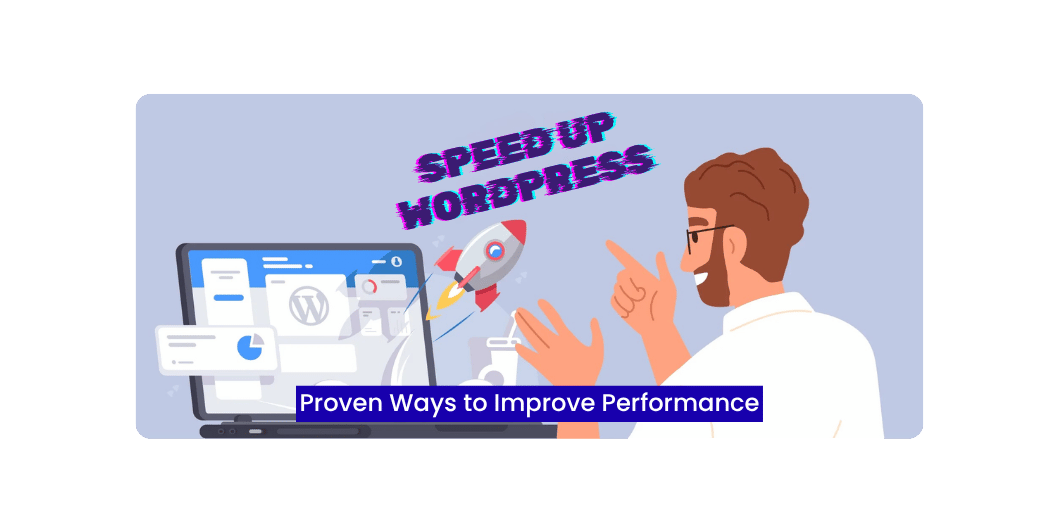
How to Speed Up a WordPress Website: 20 Proven Ways to Improve Performance (2026)
Introduction
A slow website can cost you visitors, leads, and sales.
Studies consistently show that users expect websites to load quickly, especially on mobile devices. Even a small delay can lead to higher bounce rates and lower conversions.
For WordPress websites, speed isn’t just about user experience—it’s also important for search engine optimization (SEO).
The good news is that you don’t need to rebuild your website to improve its performance. With the right optimization techniques, you can significantly reduce loading times.
In this guide, we’ll cover 20 practical ways to make your WordPress website faster.
Why WordPress Speed Matters
A fast website helps you:
- Improve user experience
- Increase conversion rates
- Reduce bounce rates
- Support better SEO
- Improve Core Web Vitals
- Build customer trust
Speed benefits every type of website, from blogs to online stores.
What Slows Down WordPress?
Common reasons include:
- Cheap hosting
- Large images
- Too many plugins
- Heavy themes
- Unoptimized databases
- Excessive JavaScript
- No caching
- External scripts
Understanding the cause makes optimization easier.
20 Proven Ways to Speed Up WordPress
Read Also: 20 Must-Have WordPress Plugins
1. Choose High-Performance Hosting
Your hosting provider has a major impact on website speed.
Look for:
- SSD or NVMe storage
- PHP 8+
- HTTP/3 support
- Built-in caching
- Automatic backups
2. Use a Lightweight Theme
Fast themes include:
- Kadence
- Astra
- GeneratePress
- Blocksy
- Neve
Avoid bloated themes with unnecessary features.
3. Install a Caching Plugin
Caching stores pre-generated pages so they load faster.
Popular options include:
- LiteSpeed Cache
- WP Rocket
- W3 Total Cache
4. Compress Images
Before uploading:
- Resize images
- Compress files
- Use WebP or AVIF where supported
- Avoid oversized banners
Smaller images load faster.
5. Enable Lazy Loading
Load images and videos only when users scroll to them.
This reduces the initial page load time.
6. Minify CSS
Remove unnecessary:
- Spaces
- Comments
- Formatting
Smaller CSS files improve loading speed.
7. Minify JavaScript
Optimize JavaScript files to reduce download size and improve rendering performance.
8. Combine CSS and JavaScript (When Appropriate)
Reducing unnecessary requests can improve performance, though modern HTTP protocols may change the best approach depending on your hosting environment.
9. Remove Unused Plugins
Deactivate and delete plugins you no longer use.
Unused plugins increase maintenance and can introduce security risks.
10. Keep WordPress Updated
Update regularly:
- WordPress Core
- Themes
- Plugins
Updates often improve both performance and security.
11. Optimize Your Database
Remove:
- Spam comments
- Post revisions
- Expired transients
- Unused tables
Routine maintenance helps keep your database efficient.
12. Use a Content Delivery Network (CDN)
A CDN delivers your website from servers closer to visitors, reducing latency for global audiences.
13. Reduce Redirects
Too many redirects create additional requests.
Whenever possible, link directly to the final destination.
14. Optimize Fonts
Use:
- Fewer font families
- Fewer font weights
- Local font hosting where practical
Typography choices can affect loading speed.
15. Reduce External Scripts
Limit unnecessary:
- Chat widgets
- Tracking scripts
- Advertising code
- Social media embeds
Each external request adds loading time.
16. Enable Gzip or Brotli Compression
Compress website files before sending them to visitors to reduce transfer size.
Read Also: WordPress for Beginners
17. Optimize Videos
Instead of uploading large video files directly to WordPress:
- Embed videos from platforms like YouTube or Vimeo when appropriate.
- Use optimized thumbnails.
18. Improve Mobile Performance
Many visitors browse on smartphones.
Test:
- Mobile loading speed
- Responsive layout
- Tap targets
- Font readability
19. Monitor Core Web Vitals
Focus on improving:
- Largest Contentful Paint (LCP)
- Interaction to Next Paint (INP)
- Cumulative Layout Shift (CLS)
These metrics reflect real-world user experience.
20. Test Performance Regularly
Use performance testing tools after major website changes.
Compare reports over time and address new issues as they arise.
Free WordPress Speed Testing Tools
Useful tools include:
- Google PageSpeed Insights
- GTmetrix
- Pingdom Website Speed Test
- WebPageTest
These tools provide insights into performance and recommendations for improvement.
Common WordPress Speed Mistakes
Avoid:
- Installing too many plugins
- Uploading full-resolution images
- Ignoring caching
- Choosing poor hosting
- Using outdated themes
- Forgetting database maintenance
- Overusing animations
WordPress Speed Checklist
Before launching your website, make sure you’ve:
✅ Installed a lightweight theme
✅ Enabled caching
✅ Optimized images
✅ Updated WordPress
✅ Removed unused plugins
✅ Optimized your database
✅ Enabled compression
✅ Tested mobile speed
✅ Checked Core Web Vitals
Frequently Asked Questions
Read Also: Website Speed Optimization: 15 Proven Ways to Make Your Website Load Faster
How fast should a WordPress website load?
There’s no single ideal number, but faster websites generally provide a better user experience and stronger engagement. Focus on continuous improvement rather than chasing a specific score.
Can plugins slow down WordPress?
Yes. Poorly coded or unnecessary plugins can affect performance. Use only trusted plugins that provide real value.
Is hosting important?
Absolutely. Reliable hosting is one of the biggest factors affecting WordPress performance.
Do images affect loading speed?
Yes. Large, unoptimized images are one of the most common causes of slow websites.
Final Thoughts
Improving WordPress performance doesn’t require a single dramatic change. Instead, it’s the result of many small optimizations working together.
Start with the basics—good hosting, a lightweight theme, optimized images, and caching. Then continue refining your website by monitoring performance, updating software, and removing unnecessary elements.
A fast website not only improves user satisfaction but also supports your SEO efforts and helps your business grow online.