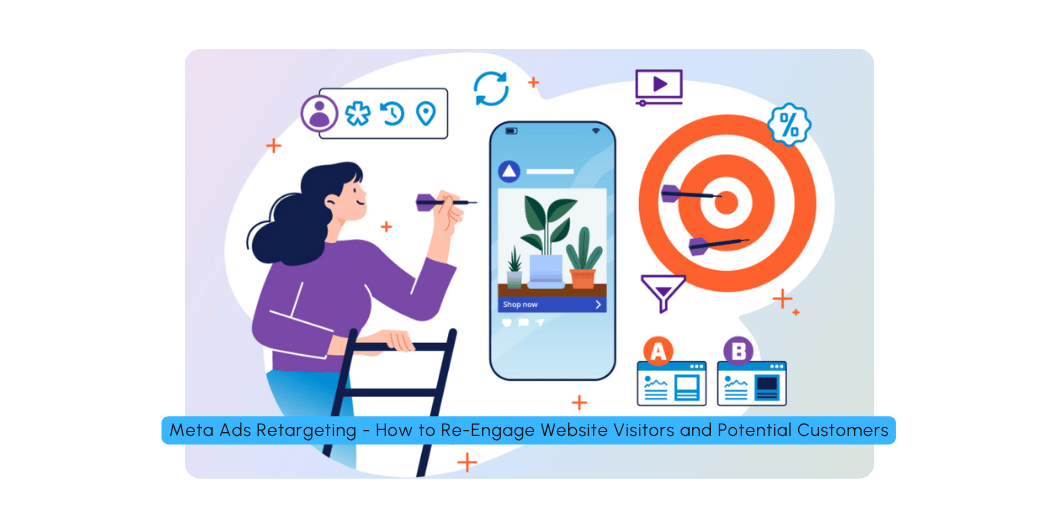
Meta Ads Retargeting: How to Re-Engage Website Visitors and Potential Customers in 2026
Introduction
Have you ever visited an online store, viewed a product and later seen an advertisement for that product on Facebook or Instagram?
That’s a common example of retargeting advertising.
Businesses use retargeting to reconnect with people who have previously interacted with their website, social media content, products or other marketing assets.
For example, someone might visit your website, explore your services and leave without submitting an enquiry. A relevant follow-up advertisement may remind them about your business and encourage them to return.
For small businesses, this can be an important part of a digital marketing strategy.
However, effective retargeting is not simply about showing the same advertisement repeatedly. It requires suitable audience selection, relevant messaging, reliable tracking, sensible frequency management and a clear conversion goal.
In this guide, we’ll explain how Meta Ads retargeting works in 2026, including practical strategies for Indian small businesses, service providers and e-commerce stores.
What Is Meta Ads Retargeting?
Meta Ads retargeting is an advertising approach that helps businesses reconnect with people who have previously interacted with their brand.
Depending on the available tools, audience permissions and campaign setup, these interactions may include:
- Visiting a website
- Viewing a product
- Adding an item to a shopping cart
- Engaging with Facebook or Instagram content
- Watching a video
- Submitting a previous enquiry
- Purchasing a product
- Interacting with other eligible Meta experiences
These people may already recognize your brand, making them different from audiences encountering your business for the first time.
Example
Imagine someone visits your website development service page but doesn’t contact you.
Later, they see an advertisement highlighting your website development services.
The advertisement may encourage them to revisit the website and submit an enquiry.
The journey looks like this:
Website Visit → Leave Without Enquiring → Retargeting Ad → Return Visit → Enquiry
Retargeting can support this journey, but it cannot guarantee that the person will return or become a customer.
Why Is Retargeting Important?
Many potential customers don’t convert during their first interaction with a business.
They may need time to:
- Compare alternatives
- Understand the service
- Check prices
- Discuss a purchase
- Read reviews
- Evaluate their budget
- Obtain approval
- Decide whether the product meets their needs
Retargeting provides another opportunity to communicate with these people.
Benefits of Meta Ads retargeting
- Re-engages previous visitors.
- Reminds potential customers about your offer.
- Supports longer buying journeys.
- Helps promote products people previously explored.
- Can encourage incomplete enquiries or purchases to resume.
- Supports repeat purchases from existing customers.
- Allows messaging to differ by customer journey stage.
The value depends on the quality of the audience, creative, offer and follow-up process.
Retargeting vs Remarketing: What’s the Difference?
The terms retargeting and remarketing are often used interchangeably in digital marketing.
In practical terms, both refer to strategies for reconnecting with people who have previously interacted with a business.
For this article, we’ll use retargeting to describe paid campaigns that reach eligible previous visitors or customers through Meta advertising.
How Meta Ads Retargeting Works
A typical retargeting campaign follows five steps.
Step 1: A Person Interacts With Your Business
Someone visits your website, watches a video or engages with your content.
Step 2: An Eligible Audience Is Created
Depending on the data source, privacy settings and available functionality, you create an audience from eligible interactions.
Step 3: You Create a Relevant Advertisement
The advertisement addresses the person’s likely needs or next step.
Step 4: The Advertisement Is Delivered
Meta’s advertising system determines delivery according to the campaign settings, audience availability, auction and other factors.
Step 5: You Measure the Results
You evaluate whether the campaign contributes to useful outcomes, such as enquiries, purchases or repeat orders.
Important: Not every interaction can necessarily be tracked or used for targeting. Audience availability depends on your setup, user choices, platform restrictions and applicable privacy requirements.
The Main Types of Meta Retargeting Audiences
Different audience types can support different campaign goals.
| Audience Type | Example | Possible Goal |
|---|---|---|
| Website visitors | People who visited your website | Encourage another visit |
| Product viewers | People who viewed product pages | Encourage product consideration |
| Cart visitors | People who added products to their cart | Encourage purchase completion |
| Social media engagers | People who interacted with eligible content | Encourage deeper engagement |
| Video viewers | People who watched eligible videos | Continue the conversation |
| Previous leads | People who submitted an earlier enquiry | Encourage the next step |
| Existing customers | People who previously purchased | Encourage repeat purchases |
Choose audiences that are relevant to your business and campaign objective.
1. Website Visitor Retargeting
Website visitor retargeting is useful when people visit your website but don’t complete the action you want.
For example, someone visits your SEO service page but doesn’t submit an enquiry.
You may create an eligible audience based on website activity and show that audience a relevant advertisement.
Example Advertisement
Still Looking for SEO Support for Your Business?
Explore our SEO services and learn how a structured optimization process can help improve your website’s search visibility.
CTA: Learn More
This approach reminds people about your service without assuming that every visitor is ready to buy.
Best suited for
- Service businesses
- Digital marketing agencies
- Consultants
- Real estate businesses
- Professional services
- B2B companies
2. Product View Retargeting
Product view retargeting is especially relevant to e-commerce businesses.
Imagine a customer views a pair of shoes but doesn’t purchase them.
A relevant advertisement can show the product again or highlight useful information about it.
Example
Still Exploring Your Next Pair?
Take another look at our footwear collection and compare the available styles.
CTA: Shop Now
For catalog-based campaigns, suitable product data and tracking integrations may be required.
Make sure the product information, availability and pricing shown in advertisements remain accurate.
3. Abandoned Cart Retargeting
Abandoned cart retargeting focuses on shoppers who add products to their cart but don’t complete the purchase.
For an online store, this can represent an opportunity to address unfinished purchases.
However, cart abandonment can happen for many reasons:
- Unexpected shipping costs
- Complicated checkout
- Payment issues
- Delivery concerns
- Comparison shopping
- Lack of purchase readiness
- Technical problems
A reminder advertisement may help some customers return, but it won’t solve every underlying problem.
Example Advertisement
Your Shopping Journey Isn’t Finished Yet
Revisit your selected products and review the details before completing your order.
CTA: Shop Now
Only use purchase-completion messaging for eligible audiences and avoid implying that a purchase is guaranteed.
4. Social Media Engagement Retargeting
People who engage with your Facebook or Instagram content may already recognize your business.
Depending on the available audience options, you may be able to create audiences based on eligible engagement.
Examples include people who:
- Interacted with your content
- Watched your videos
- Engaged with your business profile
- Took other eligible actions
Example Strategy
First Campaign: Educational Reel about website mistakes.
Follow-Up Campaign: Advertisement explaining your website development service.
The second advertisement builds on the subject introduced in the first.
This approach is particularly useful when the initial content educates the audience rather than directly asking for a purchase.
5. Video Viewer Retargeting
Video can help introduce your business to a new audience.
Some viewers may watch only a few seconds, while others may watch a larger portion of the video.
Where Meta provides the relevant audience options, you can create segments based on eligible video-viewing activity.
Example
First Video: Five mistakes small businesses make with their websites.
Retargeting Advertisement: A short explanation of how a professional website can address common usability problems.
Next Step: Invite interested people to explore your service page.
The follow-up message should remain relevant to the original video.
6. Retargeting Previous Leads
Not every enquiry becomes a customer immediately.
Some people may need additional information before deciding.
Depending on your available audience data, permissions and campaign setup, you may be able to reach eligible previous leads with follow-up advertising.
For example:
Previous Interaction: Someone enquired about website development.
Follow-Up Creative: A video showing your website development process.
CTA: Discuss Your Project.
However, advertising should complement—not replace—direct sales follow-up.
If someone has requested a quotation, a relevant personal response may be more appropriate than relying entirely on retargeting.
7. Retargeting Existing Customers
Retargeting isn’t only for people who haven’t purchased.
Existing customers can also be relevant audiences.
Businesses may use customer audiences for:
- Repeat purchases
- New product announcements
- Related services
- Upgrades
- Seasonal promotions
- Customer education
Example
A customer previously purchased a product from an online store.
The business later advertises a related product that complements the original purchase.
This can be more relevant than showing the customer an advertisement for something unrelated.
Use customer data responsibly and comply with applicable platform rules and privacy requirements.
The Retargeting Funnel: Cold, Warm and Hot Audiences
A useful way to plan retargeting is to divide the customer journey into three broad stages.
Cold Audience
These people haven’t interacted with your business in a meaningful way.
Goal: Introduce the brand or product.
Creative examples:
- Educational videos
- Product demonstrations
- Problem/solution content
- Brand storytelling
Warm Audience
These people have interacted with your content or website.
Goal: Build consideration.
Creative examples:
- Service explanations
- Product benefits
- Frequently asked questions
- Genuine testimonials
- Case studies
Hot Audience
These people have demonstrated stronger buying intent, such as viewing a product or beginning an eligible purchase process.
Goal: Encourage an appropriate next action.
Creative examples:
- Product reminders
- Booking prompts
- Clear offers
- Enquiry invitations
- Checkout reminders
This framework is a planning model rather than a guarantee that every person will progress through the funnel in a fixed order.
How to Set Up Meta Ads Retargeting
The exact interface can change, but the following workflow provides a practical starting point.
Step 1: Prepare Your Business Assets
Make sure you have the relevant assets and permissions for your campaign.
These may include:
- Facebook Page
- Instagram account
- Ad account
- Website
- Appropriate tracking setup
- Payment method
Organize your business assets before launching campaigns.
Step 2: Configure Website Tracking
For website-based retargeting, review whether Meta Pixel is appropriate for your website.
The Pixel can help report eligible website events, subject to correct implementation, browser limitations, consent requirements and applicable privacy rules.
For some businesses, server-side integrations such as the Conversions API may also be relevant.
These tools have different purposes. Neither should be treated as a way to bypass user privacy choices or applicable restrictions.
Step 3: Verify Important Events
Depending on your website, you may need to measure actions such as:
- Page views
- Product views
- Add to cart
- Checkout initiation
- Lead submissions
- Purchases
Check that events fire correctly and that important actions aren’t counted multiple times.
Step 4: Create a Custom Audience
In the relevant Meta audience-management interface, select an eligible source, such as website activity or engagement.
Choose the available audience rules that match your campaign.
The available options may differ by source and account.
Step 5: Define Your Campaign Goal
Choose the campaign objective that matches the intended business outcome.
Examples include:
- Leads
- Sales
- Engagement
- Other appropriate objectives
Don’t choose an objective simply because it appears familiar.
Step 6: Select the Audience
Apply your eligible retargeting audience and review any relevant exclusions.
For example, a purchase-completion campaign may exclude people who have already purchased, depending on the business goal and campaign configuration.
Step 7: Prepare Relevant Creative
Create an advertisement that matches the audience’s previous interaction.
Someone who visited a product page may need product information.
Someone who watched an educational video may respond better to a related explanation.
Step 8: Set the Budget
Choose a realistic budget based on your audience size, business economics and campaign objectives.
Retargeting audiences can be small, so spending too aggressively may cause the same people to see the advertisement repeatedly.
Step 9: Preview and Test
Check:
- Creative
- Copy
- CTA
- Destination URL
- Tracking
- Audience rules
- Exclusions
- Budget
Step 10: Monitor Results
Track the metrics that matter to your campaign and make adjustments based on evidence.
Meta Pixel and Conversions API: What Do They Do?
Meta Pixel
Meta Pixel is a website tracking tool that can help advertisers measure eligible website activity and support advertising-related functions.
Depending on implementation, it can help report events such as page views, product views, leads and purchases.
Conversions API
The Conversions API allows supported business systems to send eligible event data to Meta through a server-side connection.
Some businesses use it alongside the Pixel to improve event measurement and reliability.
However, using both tools requires appropriate implementation, event deduplication where relevant, and compliance with privacy requirements.
Neither tool guarantees complete tracking, perfect attribution or campaign performance.
Before implementation
- Review applicable privacy laws.
- Provide appropriate privacy disclosures.
- Respect consent requirements and user choices.
- Send only permitted data.
- Avoid sending unnecessary sensitive information.
- Verify event configuration.
How Long Should Your Retargeting Audience Window Be?
Audience duration affects how recent the interaction is.
A person who visited your website yesterday may have a different level of intent from someone who visited several months ago.
There is no universal audience duration that works for every business.
Consider:
- Product price
- Purchase cycle
- Sales cycle
- Repeat purchase frequency
- Audience size
- Campaign budget
- Available audience settings
Example Planning Framework
| Audience Recency | Possible Approach |
|---|---|
| Recent visitors | Remind them about the service or product |
| Older visitors | Reintroduce the brand or explain benefits |
| Recent cart users | Encourage purchase completion |
| Previous customers | Promote relevant complementary products |
The actual durations should be chosen based on the business and the available platform options.
Retargeting Strategy for Local Businesses
Local businesses can use retargeting to reconnect with people who have already explored their services.
Examples include:
- Clinics
- Restaurants
- Gyms
- Salons
- Coaching centres
- Real estate businesses
- IT support companies
- Website development agencies
Example: Digital Marketing Agency in Kolkata
Initial Advertisement
A Reel explaining common website and advertising mistakes.
Audience
People who engage with the video or visit an eligible service page.
Retargeting Advertisement
A clear explanation of the agency’s digital marketing services.
CTA
Request a Consultation.
Measurement
Track enquiries, qualified leads and customers—not just clicks.
This approach helps connect educational content with a practical business offer.
Retargeting Strategy for E-Commerce
E-commerce businesses can organize retargeting around shopping activity.
Stage 1: Product Discovery
Reach new audiences with product-focused creative.
Stage 2: Product Consideration
Reconnect with eligible product viewers.
Stage 3: Cart or Checkout
Use appropriate reminders for eligible users who haven’t completed a purchase.
Stage 4: Purchase
Exclude recent purchasers from purchase-completion campaigns when appropriate.
Stage 5: Repeat Purchase
Promote related products or relevant new collections to existing customers.
The strategy should also consider stock availability, product margins, shipping costs and customer preferences.
Retargeting Strategy for Lead Generation
For service businesses, retargeting should help people move toward a meaningful conversation.
A simple funnel might be:
Educational Content
↓
Service Page Visit
↓
Retargeting Advertisement
↓
Enquiry Form
↓
Lead Qualification
↓
Sales Follow-Up
For example, a website development company may first publish a Reel about website mistakes.
People who interact with that content may later see a service advertisement.
Those who visit the service page may receive another relevant message, where eligible and supported by the campaign setup.
The business should measure the quality of enquiries generated by this process.
How Much Should You Spend on Retargeting?
There is no fixed budget that works for every business.
Your budget depends on:
- Eligible audience size
- Campaign objective
- Product or service value
- Conversion rate
- Competition
- Sales cycle
- Business capacity
- Previous campaign data
A small local business may have a limited retargeting audience, while an established online store may have a much larger one.
Practical approach
- Estimate the size of your eligible audience.
- Set a budget appropriate to the campaign.
- Monitor reach and frequency.
- Evaluate conversions and lead quality.
- Increase spending only when the data and business economics support it.
Avoid spending aggressively just because your retargeting campaign has a separate budget.
Important Retargeting Metrics
Retargeting performance should be measured according to the campaign objective.
| Metric | What It Helps You Understand |
|---|---|
| Reach | How many people saw the ads |
| Impressions | How many times ads were shown |
| Frequency | Average exposure across the measured audience |
| CTR | How often people clicked relative to impressions, depending on the selected CTR metric |
| Landing Page Views | Visits recorded after ad clicks |
| Leads | Enquiries attributed or reported by the campaign |
| Cost Per Lead | Advertising cost per reported lead |
| Purchases | Recorded purchase events |
| Cost Per Purchase | Advertising cost per recorded purchase |
| ROAS | Reported revenue relative to advertising spend |
Remember that platform-reported attribution is not necessarily the same as incremental business impact.
Someone might have purchased even without seeing the retargeting advertisement.
For larger campaigns, holdout or incrementality testing may help estimate whether advertising caused additional conversions.
Why Retargeting Campaigns Sometimes Fail
Retargeting is not automatically profitable.
Common problems include the following.
1. The Audience Is Too Small
A small audience may not provide enough delivery or conversion volume.
Possible solution: Review audience size and campaign structure. Don’t create unnecessary fragmentation.
2. The Same Ad Is Shown Repeatedly
Repeated exposure can become irritating or ineffective.
Possible solution: Monitor frequency and performance, and refresh creative when appropriate.
3. The Message Is Too Generic
A product viewer may need product-specific information rather than a generic brand advertisement.
Possible solution: Match the message to the previous interaction.
4. Tracking Is Incorrect
If events aren’t configured correctly, your audience and measurement may be incomplete.
Possible solution: Test event implementation and review diagnostics.
5. The Landing Page Is Weak
Retargeting may bring people back to a page that still fails to answer their questions.
Possible solution: Improve the landing page, product information and CTA.
6. Existing Customers Keep Seeing Acquisition Ads
This can waste budget and create a poor experience.
Possible solution: Review exclusions and customer audience rules where appropriate.
7. The Offer Doesn’t Address Customer Concerns
A reminder doesn’t solve issues such as high shipping costs or unclear pricing.
Possible solution: Identify the actual obstacle and address it honestly.
8. Attribution Is Misunderstood
A conversion reported by Meta isn’t necessarily an additional conversion caused by the ad.
Possible solution: Compare platform reports with business records and, where appropriate, incrementality tests.
Retargeting Creative Ideas
Your retargeting creative should provide a reason to reconsider your offer.
Here are ten ideas.
1. Product Reminder
Show a product the audience previously explored.
2. Service Explanation
Explain how your service works.
3. Frequently Asked Questions
Answer common questions about price, delivery or implementation.
4. Genuine Customer Testimonial
Share authentic customer feedback with permission.
5. Product Demonstration
Show how the product works.
6. Case Study
Explain a real project and its process.
7. Comparison Guide
Help customers understand differences between relevant options.
8. Offer Reminder
Promote a genuine offer with accurate conditions.
9. Trust-Building Creative
Show real work, relevant credentials or your process.
10. Next-Step Invitation
Encourage interested people to book, enquire or return to the product page.
A Practical 30-Day Retargeting Plan
The following is an example planning framework, not a universal schedule.
| Period | Activity | Purpose |
|---|---|---|
| Days 1–7 | Review tracking and audience eligibility | Establish a reliable foundation |
| Days 8–14 | Test relevant retargeting creative | Identify useful messages |
| Days 15–21 | Review frequency, leads and purchases | Find performance issues |
| Days 22–30 | Refine creative and campaign structure | Improve based on evidence |
Your actual timeline may need to be longer if your audience is small or conversions take time.
Don’t force changes simply because a particular number of days has passed.
Meta Ads Retargeting Checklist
Before launching your campaign, use this checklist.
Tracking
- Website events reviewed
- Pixel implementation checked where applicable
- Conversions API reviewed where relevant
- Important events tested
- Privacy requirements considered
Audience
- Audience source selected
- Audience rules reviewed
- Audience size checked
- Recency considered
- Exclusions reviewed
Creative
- Message matches previous interaction
- CTA is relevant
- Creative is mobile-friendly
- Claims are accurate
- Landing page matches the ad
Budget
- Budget suits audience size
- Frequency monitored
- Campaign objective matches the goal
Measurement
- Leads or purchases tracked
- Qualified lead/customer data reviewed
- Platform attribution understood
- Results compared with business records
Final Thoughts
Meta Ads retargeting can help businesses reconnect with people who have already shown interest in their products or services.
But effective retargeting is not about showing advertisements repeatedly to everyone who visits your website.
It is about understanding the customer journey and delivering a relevant message at an appropriate time.
Start by identifying useful audience segments, ensuring that your tracking is configured responsibly, and creating advertisements that address the audience’s likely needs.
Then measure what happens after the click.
For service businesses, that means tracking qualified enquiries and customers.
For e-commerce businesses, it means looking beyond product views to purchases, revenue and profitability.
The overall process is:
Attract → Engage → Retarget → Convert → Measure → Improve
Build your campaign around meaningful business outcomes, respect customer privacy and avoid assuming that every reported conversion was caused by the advertisement.
That is the foundation of a practical retargeting strategy.
Frequently Asked Questions
1. What is Meta Ads retargeting?
Meta Ads retargeting is a strategy for advertising to eligible people who have previously interacted with your website, social content, products or other business assets.
2. Do I need Meta Pixel for retargeting?
Website-based retargeting often uses the Meta Pixel or another supported integration to collect eligible website events. Other retargeting audiences, such as eligible social engagement audiences, may not require website Pixel tracking.
3. Can I retarget people who visited my website?
Potentially, yes. You need an appropriate tracking setup, an eligible audience source and compliance with applicable privacy and platform requirements.
4. Can I retarget Instagram engagers?
Meta provides audience options for certain eligible interactions, subject to current platform functionality and account eligibility.
5. What is abandoned cart retargeting?
It is a strategy for reconnecting with eligible shoppers who added products to their cart but did not complete a purchase.
6. How much budget should I allocate to retargeting?
There is no universal budget. Consider your eligible audience size, customer value, conversion data and overall marketing budget.
7. How often should I show retargeting ads?
There is no fixed frequency that suits every campaign. Monitor frequency, audience response, cost and conversion performance, and adjust the campaign when appropriate.
8. Is retargeting useful for small businesses?
It can be useful for small businesses that receive relevant website traffic, social engagement or enquiries. Its value depends on audience quality, campaign costs and the business’s ability to convert prospects.
9. Does retargeting guarantee more sales?
No. Retargeting can create additional opportunities to reach potential customers, but sales depend on many factors, including the offer, audience, price, website experience and follow-up.
10. Can retargeting work without a website?
Yes. Some audience strategies use eligible engagement with Facebook, Instagram or other supported Meta experiences. Website-based retargeting, however, requires an appropriate website data setup.