Google Ads for Local Businesses: How to Get More Calls and Leads in 2026
Google Ads for local businesses is one of the most useful digital advertising approaches for reaching potential customers who are actively searching for products and services.
Imagine someone in Kolkata searching for:
- Laptop service near me
- Best restaurant in Salt Lake
- Website development company in Kolkata
- Motorcycle showroom near me
- Digital marketing agency in Kolkata
- AC servicing near me
These searches indicate that the person may already have a requirement. A well-planned Google Ads campaign can help your business appear when relevant customers search for the products or services you offer.
Unlike advertising that primarily introduces a product to people who may not be looking for it, search advertising can connect businesses with users who have expressed an interest through their searches.
However, simply appearing on Google does not guarantee calls or sales. Your keywords, advertisements, landing pages, location settings, budget, and follow-up process all influence campaign performance.
In this guide, we will explain how local businesses in India can use Google Ads to generate more relevant enquiries, phone calls, appointments, and customers in 2026.
Quick Summary: How Google Ads Helps Local Businesses
Google Ads allows businesses to promote their products and services across eligible Google advertising placements.
For local businesses, an effective starting strategy is often a search campaign targeting relevant keywords and geographical areas.
The basic process is:
- Identify the products or services you want to promote.
- Research what potential customers search for.
- Select the locations you can serve.
- Create relevant search advertisements.
- Send visitors to a suitable landing page or provide a clear contact option.
- Set up conversion tracking.
- Monitor calls, enquiries, qualified leads, and sales.
- Optimize campaigns based on actual business results.
The objective is not simply to get more clicks. It is to attract people who are genuinely interested in becoming your customers.
1. What Are Google Ads for Local Businesses?
Google Ads is Google’s online advertising platform. Businesses can use it to promote products and services across eligible Google properties and advertising placements.
For local businesses, Google Search advertising is particularly relevant because it can help reach people searching for specific services or products.
For example, a customer searching for a computer support company in Kolkata may see relevant sponsored search results.
If your business offers that service and your campaign is eligible for the relevant auction, your advertisement may appear.
Examples of local Google Ads searches
| Business type | Example search |
|---|---|
| Computer support | Laptop service in Kolkata |
| Digital marketing agency | Digital marketing agency near me |
| Restaurant | Best restaurant in Salt Lake |
| Motorcycle dealership | Royal Enfield showroom Kolkata |
| Real estate | Flats for sale in New Town |
| Coaching centre | Computer training institute near me |
| Website development | WordPress website developer Kolkata |
| Pharmacy | Pharmacy near me |
| Salon | Unisex salon in Kolkata |
| Interior designer | Interior designer in Kolkata |
These are examples of search intent. Actual keyword selection should be based on your business, service area, customer demand, and campaign budget.
2. Why Local Businesses Should Use Google Ads
Many customers use Google when they need a product or service.
For example, someone whose laptop has stopped working may search for a nearby IT support provider. A business owner planning a website may search for a WordPress developer. A family looking for a restaurant may search for nearby dining options.
Google Ads can help businesses participate in these moments.
A. Reach people actively searching
Search advertising can connect your business with users expressing relevant intent through their searches.
This is particularly useful for services customers need when a problem arises or when they are ready to make a decision.
B. Target relevant geographical areas
A local business does not need to advertise across all of India if it serves only Kolkata or selected neighbourhoods.
Location settings can help focus advertising on areas relevant to the business.
C. Control advertising budgets
Google Ads allows advertisers to set campaign budgets and manage spending.
You can begin with a manageable budget, evaluate the results, and make adjustments based on business performance.
A budget does not guarantee a particular number of calls, leads, or sales.
D. Measure advertising activity
You can measure important activities such as:
- Advertisement impressions
- Clicks
- Website visits
- Phone calls
- Form submissions
- Purchase conversions
- Cost per lead
- Customer acquisition cost
Accurate conversion tracking helps businesses understand whether advertising is contributing to meaningful outcomes.
E. Promote specific services
Instead of advertising your entire business with one general message, you can create campaigns around individual services.
For example, a digital agency could promote:
- Website development
- SEO services
- Google Ads management
- Meta Ads management
- WhatsApp marketing
- Social media management
This allows the advertisement and landing page to match the customer’s search more closely.
3. Which Google Ads Campaign Type Is Best for Local Businesses?
Google Ads offers different campaign types for different advertising objectives. Availability and features depend on the account, location, business category, and current platform settings.
Here are some common approaches.
1. Search Campaigns
Search campaigns display eligible advertisements when users search for relevant terms on Google.
Best suited for:
- IT support companies
- Website developers
- Digital marketing agencies
- Local service providers
- Coaching centres
- Professional consultants
- Repair and maintenance services
For businesses targeting customers with specific needs, Search campaigns are often a sensible starting point.
2. Performance Max Campaigns
Performance Max is designed to help advertisers access multiple eligible Google advertising channels through one campaign, using Google’s automation and optimization capabilities.
It may be useful for businesses with suitable conversion tracking, sufficient creative assets, and clearly defined business objectives.
However, automation does not remove the need for good campaign planning, accurate tracking, and performance evaluation.
3. Display Campaigns
Display advertising can help businesses promote their services through eligible visual advertising placements across Google’s Display Network.
Potential uses include:
- Brand awareness
- Promotional campaigns
- Retargeting, where eligible
- Event promotion
- Product advertising
Display campaigns may generate exposure, but exposure should not be confused with purchase intent.
4. Video Campaigns
Video advertising can help businesses introduce products, demonstrate services, and communicate brand messages through eligible video placements.
For example:
- A motorcycle dealership can showcase a new model.
- A restaurant can present its dining experience.
- A digital agency can demonstrate its website development process.
5. Local and Store-Focused Advertising
Businesses with physical locations may be able to use eligible campaign features and location assets to support store-related objectives.
The appropriate setup depends on current Google Ads availability, business eligibility, and the campaign objective.
My recommendation: For many local service providers, begin by evaluating Search campaigns before investing heavily in broader awareness campaigns. This gives you a practical way to target relevant searches and assess enquiry quality.
4. Keyword Research: Find What Local Customers Are Searching For
Keyword research is one of the most important parts of a Google Ads campaign.
You need to identify the search terms that potential customers use when looking for your products or services.
A good keyword strategy should focus on relevance and customer intent rather than simply selecting keywords with high search volume.
Types of keywords for local advertising
1. Service keywords
These describe the service directly.
Examples:
- Laptop service
- Website development
- SEO services
- Digital marketing services
- AC servicing
2. Location-based keywords
These combine a service with a geographical area.
Examples:
- Laptop service Kolkata
- Website developer Salt Lake
- SEO agency Kolkata
- AC servicing New Town
3. High-intent keywords
These indicate that the user may be ready to take action.
Examples:
- Hire website developer Kolkata
- Book laptop service
- Best digital marketing agency Kolkata
- Website development company near me
4. Commercial research keywords
These indicate that users are comparing options before making a decision.
Examples:
- Website development cost Kolkata
- SEO agency pricing
- WordPress developer comparison
- Best laptop service provider
Example keyword list for an IT support business
| Keyword | Intent |
|---|---|
| Laptop service Kolkata | Service search |
| Computer support Kolkata | Service search |
| Business IT support Kolkata | Business service search |
| Desktop troubleshooting service | Problem-solving search |
| Office networking support | Business requirement |
| Annual IT maintenance service | Ongoing service search |
| Laptop service near me | Local search |
These are starting keyword ideas, not verified search-volume or competition data.
Use Google Keyword Planner
Google Keyword Planner can help advertisers research keyword ideas, understand estimated search demand, and plan advertising budgets.
A practical workflow:
- Open Keyword Planner in your Google Ads account.
- Select the keyword discovery option.
- Enter your core service keywords.
- Set the target geographical area.
- Review suggested keyword ideas.
- Evaluate estimated search volumes and bid information.
- Identify relevant keywords for your campaign.
- Remove irrelevant or overly broad ideas.
Remember that keyword estimates are planning indicators, not guarantees of actual traffic or campaign performance.
5. Understand Keyword Match Types
Keyword match types help control how closely a user’s search needs to relate to your selected keywords.
Google Ads provides different matching options.
Broad Match
Broad match can match your keyword to searches related to its meaning, including relevant variations and related searches.
It offers wider reach but requires careful monitoring.
Phrase Match
Phrase match generally provides a more focused approach while allowing relevant variations around the meaning of the keyword.
Exact Match
Exact match provides more control over the relationship between the selected keyword and the user’s search, while still allowing close variants and searches with the same meaning or intent.
Example
Suppose your keyword is related to laptop support.
| Match type | Example keyword format | General purpose |
|---|---|---|
| Broad | laptop service Kolkata | Wider relevant reach |
| Phrase | “laptop service Kolkata” | More focused matching |
| Exact | [laptop service Kolkata] | More controlled matching |
The actual search terms matched can vary according to Google’s matching rules.
Which match type should beginners use?
For a new local campaign, a focused keyword strategy can make initial monitoring easier.
You can start with carefully selected phrase and exact match keywords, then test broader matching when conversion tracking and campaign data support it.
Do not assume that exact match means only one identical search query.
6. Use Negative Keywords to Avoid Wasted Spending
Negative keywords help prevent advertisements from appearing for searches that are irrelevant to your business.
This is important because broad or ambiguous searches can attract clicks from people who have no intention of becoming your customers.
Example: IT support business
Suppose your company provides paid IT support services.
You may want to investigate whether searches containing the following terms are irrelevant:
- Free
- Jobs
- Salary
- Training
- Course
- Tutorial
- Download
- DIY
However, do not automatically add every term to your negative keyword list. Some words may be relevant depending on the services you provide.
Example: Website development company
If you provide professional website development services, you may want to exclude searches that are clearly unrelated, such as certain free-template or employment-related searches.
Why negative keywords matter
They can help you:
- Reduce irrelevant clicks.
- Improve search relevance.
- Protect limited advertising budgets.
- Focus on suitable customer enquiries.
- Make campaign reporting more meaningful.
Practical optimization routine
Review your search terms report regularly.
Look for searches that:
- Have no connection to your services.
- Attract people seeking free information when you sell professional services.
- Relate to products you do not provide.
- Come from irrelevant locations.
- Generate clicks without meaningful engagement.
Add negative keywords carefully, taking account of their potential impact on other relevant searches.
7. Location Targeting for Local Google Ads
Location targeting is especially important for local businesses.
If your company serves Kolkata, you may not want to spend your advertising budget attracting enquiries from distant cities.
Step 1: Define your service area
List the geographical areas where your business can realistically provide services.
For example:
- Salt Lake
- New Town
- Rajarhat
- Dum Dum
- Barasat
- South Kolkata
These are illustrative areas. Select locations according to your actual service coverage.
Step 2: Configure campaign location settings
Choose the geographical areas that match your business requirements.
Review the available location options carefully, including Google’s settings related to people who are physically present in or regularly in your targeted areas versus people who have shown interest in them.
For a business that serves customers only within a defined area, the distinction can be important.
Step 3: Monitor location performance
Review the available geographical reporting to understand where your advertising is generating useful results.
Step 4: Expand carefully
If a nearby location produces good enquiries, test expanding your coverage.
Do not expand simply to increase impressions.
Example
A computer support company may initially focus on areas where it can provide timely service.
A website development agency, however, may be able to work with customers across India. Its geographical strategy could therefore be much broader.
The correct targeting depends on the nature of the business.
8. How to Write Google Search Ads That Generate Enquiries
Your advertisement should quickly explain why a customer should consider your business.
When someone searches for a service, they may see several competing advertisements and organic results.
Your message should be relevant, clear, and trustworthy.
Essential elements of a good search advertisement
1. Relevant headline
Include the service or main customer requirement.
Examples:
- Professional IT Support in Kolkata
- WordPress Website Development
- Digital Marketing Services
- Local SEO Services for Businesses
2. Clear benefit
Explain what the customer gets.
Examples:
- Support for Home and Business Users
- Custom Websites for Growing Businesses
- Practical Digital Marketing Solutions
3. Location relevance
Where appropriate, mention the service area.
4. Trust-building information
Use genuine experience, relevant qualifications, service details, or authentic customer feedback.
5. Strong call to action
Examples:
- Request a Consultation
- Enquire About Our Services
- Explore Our Solutions
- Get in Touch
Avoid unsupported claims such as guaranteed first-page rankings, guaranteed sales, or guaranteed results.
Example Google Search Ad: IT Support
Headline ideas:
- Professional IT Support in Kolkata
- Business Computer Support
- Laptop & Desktop IT Assistance
- Reliable Technology Support
Description:
Need dependable IT support for your home or business? Explore computer support, networking, software assistance and maintenance solutions. Enquire today.
The advertisement should direct users to a relevant page containing service information, location details, and a clear enquiry option.
Read Also: SEO vs Google Ads: Which Is Better
9. Landing Pages: Turn Google Ads Clicks into Customers
A good advertisement can attract relevant visitors, but your landing page must help them take the next step.
A common mistake is sending every advertisement to the homepage, even when the campaign promotes a specific service.
A dedicated landing page can provide a more relevant customer experience.
Essential landing page elements
1. Clear headline
The visitor should immediately understand what service you provide.
2. Service information
Explain the service, its benefits, and who it is intended for.
3. Business information
Show your business name, service area, relevant credentials, and genuine examples of work.
4. Contact options
Provide suitable enquiry options such as:
- Phone call
- Contact form
- WhatsApp, where appropriate
- Appointment request
5. Clear call to action
Use a prominent button that tells visitors what to do.
6. Mobile-friendly layout
Your landing page should work properly on smartphones.
7. Fast loading
Optimize images, scripts, fonts, and other resources.
8. Working forms
Test form submissions, confirmation messages, and notification delivery.
9. Privacy information
Explain how customer information will be handled.
Example: Website development campaign
If your advertisement promotes WordPress website development, the landing page should explain:
- WordPress website development services
- Business website features
- Design and development process
- Relevant portfolio examples
- Support arrangements
- Enquiry process
This gives visitors the information they need to evaluate your business.
10. Google Ads for Phone Calls: How to Get More Customer Calls
For many local businesses, a phone call is one of the most valuable types of enquiry.
Examples include:
- Computer support
- Plumbing and electrical services
- Restaurants
- Clinics
- Real estate agencies
- Automobile dealerships
- Local professional services
Google Ads provides call-related advertising and measurement options, depending on the campaign type, device, and current account features.
How to encourage more calls
- Use relevant search keywords.
- Write advertisements that clearly describe your service.
- Make your business phone number easy to find.
- Use suitable call-related assets where available.
- Ensure someone is available to answer enquiries.
- Set realistic business hours.
- Track call conversions where supported.
- Review call quality and customer outcomes.
Important: Not every call is a customer
Some calls may be:
- Wrong numbers
- Sales enquiries unrelated to your services
- Spam
- General questions
- Existing customer support requests
Where possible, distinguish between genuine new business enquiries and other calls.
This helps you calculate a more meaningful cost per qualified call.
11. Google Ads Budget for Local Businesses in India
There is no universal advertising budget that guarantees success.
Your budget should reflect your business economics, competition, service area, expected customer value, and ability to handle new enquiries.
Illustrative monthly budgets
| Daily budget | Approximate 30-day budget |
|---|---|
| ₹300 | ₹9,000 |
| ₹500 | ₹15,000 |
| ₹750 | ₹22,500 |
| ₹1,000 | ₹30,000 |
| ₹1,500 | ₹45,000 |
| ₹2,000 | ₹60,000 |
These are illustrative calculations for planning. They are not recommended minimums or expected performance levels.
Actual Google Ads spending can vary depending on campaign settings and delivery.
How to decide your budget
Consider the following:
1. Customer value
How much revenue does an average new customer generate?
2. Profit margin
How much remains after the costs of delivering the product or service?
3. Conversion rate
How many relevant visitors or enquiries become paying customers?
4. Customer acquisition cost
How much can you reasonably spend to acquire a customer?
5. Competition
How competitive are the keywords and locations you want to target?
Example budget calculation
Suppose a business spends ₹15,000 on Google Ads and generates 50 enquiries.
Cost per lead:
₹15,000 ÷ 50 = ₹300.
If 10 enquiries become customers:
Advertising cost per customer:
₹15,000 ÷ 10 = ₹1,500.
This is advertising cost per acquired customer, not the full customer acquisition cost. Additional sales and marketing expenses should be included when calculating the complete figure.
The business must compare that acquisition cost with the profit generated by those customers.
12. How to Calculate Cost Per Lead and Customer Acquisition Cost
Two important metrics for local advertising are cost per lead and customer acquisition cost.
Cost Per Lead (CPL)
Formula:
CPL = Advertising Spend ÷ Number of Leads
Example:
Advertising spend = ₹10,000
Leads = 40
CPL = ₹250.
Cost Per Qualified Lead
Formula:
Cost per Qualified Lead = Advertising Spend ÷ Qualified Leads
If 40 enquiries generate 15 qualified leads:
₹10,000 ÷ 15 = approximately ₹667.
Customer Acquisition Cost (CAC)
Formula:
CAC = Total Relevant Acquisition Costs ÷ Number of New Customers
Suppose your business spends:
- ₹10,000 on Google Ads
- ₹2,000 on other relevant marketing costs
- ₹3,000 on attributable sales-related costs
Total relevant acquisition costs = ₹15,000.
If the campaign and associated sales process generate five new customers:
CAC = ₹15,000 ÷ 5 = ₹3,000.
This gives you a more complete picture of the cost of acquiring customers.
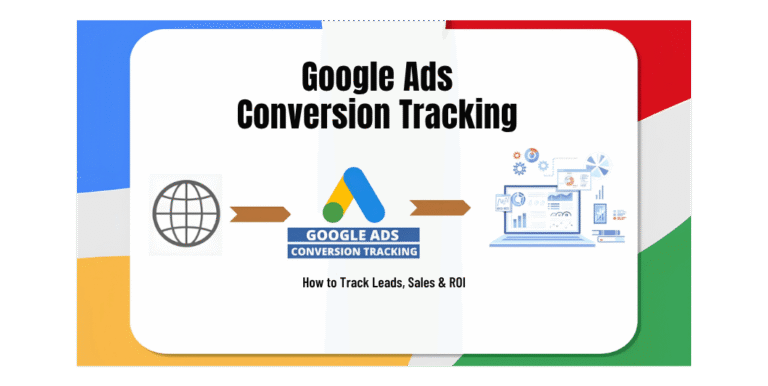
13. Conversion Tracking: Measure What Matters
Without proper conversion tracking, you may know how many people clicked your advertisements but not how many became genuine customers.
Conversion tracking helps measure valuable actions taken after someone interacts with your advertising.
Important conversions for local businesses
| Conversion | Example |
|---|---|
| Phone call | Customer calls your business |
| Form submission | Customer requests a quotation |
| Appointment | Customer books a consultation |
| WhatsApp enquiry | Customer initiates a conversation |
| Purchase | Customer completes an online order |
| Registration | Customer signs up for a service |
| Qualified lead | Enquiry meets your business criteria |
Not every business needs to track every conversion type.
Select actions that reflect your actual customer journey.
Google Ads conversion tracking
Depending on the setup, businesses may use:
- Google Ads website conversion tracking
- Google tag
- Google Analytics 4
- Google Tag Manager
- Enhanced conversions, where eligible
- Call-related conversion measurement
- Offline conversion imports, where supported
Example: Tracking a website enquiry
A typical process could be:
- A customer searches for a service.
- The customer clicks your Google advertisement.
- The customer visits your landing page.
- The customer submits an enquiry form.
- A conversion event is recorded.
- Your team contacts the customer.
- The enquiry is marked as qualified or unqualified.
- A successful sale is recorded in your business system.
The final sales information can help you understand whether advertising is generating revenue, not just form submissions.
Important: Tracking implementations should be tested carefully. Incorrect tags, duplicate events, missing consent controls, and inaccurate conversion values can distort campaign reports.
14. Google Ads vs Google Business Profile: What’s the Difference?
Local businesses often confuse Google Ads with Google Business Profile.
They serve different purposes.
Google Ads
Google Ads is a paid advertising platform.
Businesses pay to participate in advertising auctions and display eligible advertisements.
Google Business Profile
Google Business Profile is a business listing that allows eligible businesses to manage how their information appears on Google Search and Maps.
It can display information such as:
- Business name
- Address or service area
- Phone number
- Opening hours
- Website
- Photos
- Customer reviews
- Business updates
Comparison
| Feature | Google Ads | Google Business Profile |
|---|---|---|
| Type | Paid advertising | Business listing |
| Advertising spend | Required for paid campaigns | No charge for maintaining the profile |
| Search visibility | Eligible paid placements | Eligible organic local results and Maps |
| Main purpose | Advertising and conversions | Local business information and discovery |
| Campaign control | Budget, keywords, ads, targeting and more | Business information, reviews, photos and updates |
| Results | Depend on campaign delivery and conversions | Depend on relevance, distance, prominence and other factors |
Should you use both?
For many local businesses, combining Google Ads with an accurate and complete Google Business Profile is a sensible strategy.
Google Ads can help capture relevant paid search opportunities, while your Business Profile helps customers understand your business and find essential information.
Neither guarantees a particular search position or number of customers.
15. Google Ads vs Meta Ads for Local Businesses
Both platforms can contribute to local marketing, but they often serve different roles in the customer journey.
Google Ads
Google Search advertising can help reach people who are actively searching for a product or service.
Example:
Someone searches for “website developer in Kolkata.”
Your advertisement may appear for that relevant search.
Meta Ads
Facebook and Instagram advertising can help introduce products and services to audiences through visual content, video, and other eligible placements.
Example:
A business owner sees a short video introducing a website development service while browsing Instagram.
Comparison
| Factor | Google Ads | Meta Ads |
|---|---|---|
| Typical discovery | Search-led | Feed, video and social discovery |
| User intent | Can be high for relevant searches | Varies by audience and campaign |
| Main creative | Search text ads and other eligible formats | Images, videos, carousels and more |
| Local lead generation | Strong option for relevant service searches | Useful for awareness, enquiries and retargeting |
| Product discovery | Search-led product demand | Visual discovery and promotion |
| Retargeting | Supported through eligible campaign setups | Supported through eligible audience setups |
| Measurement | Clicks, calls, leads, sales and other conversions | Reach, engagement, leads, sales and other conversions |
Read Aslo: Google Ads vs Meta Ads
Which should a local business choose?
If customers actively search for your service, Google Search Ads may be a sensible starting point.
If your business needs to introduce a product, build awareness, or demonstrate something visually, Meta Ads may be worth testing.
Many businesses can benefit from using both platforms with different objectives.
16. Common Google Ads Mistakes Local Businesses Should Avoid
A poorly planned campaign can spend money without generating useful enquiries.
Here are common problems and how to address them.
Mistake 1: Using overly broad keywords
Broad keywords can attract searches that have little connection to your services.
Solution: Start with relevant keyword themes and review search terms regularly.
Mistake 2: Ignoring negative keywords
Irrelevant searches can waste advertising budget.
Solution: Review search terms and exclude genuinely irrelevant queries.
Mistake 3: Targeting the wrong locations
Advertising outside your service area can generate enquiries you cannot fulfil.
Solution: Review geographical settings and monitor where customers originate.
Mistake 4: Sending all visitors to the homepage
A homepage may not explain the specific service mentioned in the advertisement.
Solution: Build relevant landing pages for important services.
Mistake 5: Not tracking conversions
Without conversion measurement, optimization becomes difficult.
Solution: Configure and test appropriate conversion actions.
Mistake 6: Focusing only on clicks
A campaign can receive many clicks without generating customers.
Solution: Measure qualified leads, calls, sales, and customer acquisition costs.
Mistake 7: Setting an unrealistic budget
A budget that is too small for the chosen market and objective may produce limited data.
Solution: Estimate the economics of your campaign and set a realistic testing budget.
Mistake 8: Ignoring advertisement quality
Unclear headlines and generic descriptions can reduce relevance.
Solution: Write advertisements that match customer search intent.
Mistake 9: Failing to respond to enquiries
Potential customers may choose another provider if your business does not respond promptly.
Solution: Establish a lead response process.
Mistake 10: Making frequent unnecessary changes
Constantly changing keywords, budgets, and advertisements makes performance difficult to interpret.
Solution: Follow a regular review schedule and make changes based on evidence.
17. A Practical 30-Day Google Ads Plan for Local Businesses
Here is a simple monthly plan for a business launching its first local Search campaign.
Week 1: Research and preparation
- Define your main service.
- Identify your target customer.
- Confirm your service locations.
- Research relevant keywords.
- Create a negative keyword starter list.
- Prepare search advertisements.
- Build or optimize the landing page.
- Configure conversion tracking.
- Decide your initial budget.
Goal: Build a campaign with a clear objective and reliable measurement.
Week 2: Launch and monitor
- Launch the campaign.
- Check advertisement approvals.
- Verify that ads are serving.
- Review search terms.
- Test website forms and contact options.
- Monitor clicks and enquiries.
- Check that conversions are being recorded.
Goal: Confirm that the campaign is functioning correctly.
Week 3: Review performance
- Identify relevant and irrelevant searches.
- Review keyword performance.
- Assess cost per lead.
- Check the geographical performance.
- Review advertisement engagement.
- Evaluate lead quality.
- Identify landing page problems.
Goal: Understand what is working and what needs improvement.
Week 4: Optimize
- Add relevant negative keywords.
- Improve advertisement messaging.
- Review keyword bids or bidding strategy.
- Improve landing page content.
- Evaluate conversion tracking.
- Compare campaign costs with actual sales.
- Prepare the next month’s plan.
Goal: Improve the campaign based on business results rather than assumptions.
18. Google Ads Checklist Before Launching a Local Campaign
Use this checklist before publishing your campaign.
Business planning
- Primary advertising objective is defined.
- Target customers are identified.
- Service area is confirmed.
- Main services or products are selected.
- Advertising budget is established.
Keyword research
- Relevant keyword ideas are collected.
- Search intent is understood.
- Match types are selected.
- Negative keywords are reviewed.
- Location relevance is considered.
Advertisements
- Headlines describe the service.
- Descriptions explain customer benefits.
- Location information is relevant.
- Call to action is clear.
- Claims are accurate.
- Landing page matches the advertisement.
Website and tracking
- Landing page works on mobile.
- Website loading performance is checked.
- Contact form works.
- Phone number is correct.
- Conversion tracking is tested.
- Privacy information is available.
Campaign management
- Budget is correct.
- Campaign schedule is appropriate.
- Location settings are reviewed.
- Search terms will be monitored.
- Enquiry follow-up process is ready.
- Reporting metrics are defined.
Read Also: Facebook Ads vs Instagram Ads
Frequently Asked Questions
1. Are Google Ads effective for local businesses?
Google Ads can help local businesses reach people searching for relevant products and services. Results depend on keyword relevance, location targeting, competition, advertisement quality, landing page experience, budget, and conversion performance.
2. How much should a local business spend on Google Ads?
There is no universal minimum budget. Your spending should reflect your business objectives, expected customer value, competition, and ability to handle enquiries. Start with a manageable test budget and evaluate actual results.
3. Which Google Ads campaign is best for local businesses?
Search campaigns are often a practical starting point for businesses whose customers actively search for their services. Other campaign types may be useful for awareness, visual promotion, or broader advertising objectives.
4. Can Google Ads generate phone calls?
Yes. Depending on current campaign features and eligibility, businesses can use call-related advertising options and conversion measurement to encourage and assess phone enquiries.
5. Do I need a website to run Google Ads?
Not always. Some advertising formats and destinations may not require a traditional website. However, a professional website or landing page can provide important service information, establish trust, and support conversion tracking.
6. What is a good cost per lead for Google Ads?
A good CPL depends on the industry, profit margins, lead quality, and conversion rate. Calculate the cost of acquiring actual customers instead of judging success only by the cost of collecting enquiries.
7. Can I run Google Ads for a small geographical area?
Yes, Google Ads supports geographical targeting options. The available settings should be reviewed carefully to ensure they match your service area and customer requirements.
8. What is the difference between Google Ads and SEO?
Google Ads provides paid advertising opportunities, while SEO focuses on improving a website’s visibility in organic search results. Ads can generate paid visibility while active campaigns run; SEO is a longer-term process without guaranteed rankings.
9. Should I use Google Ads and Meta Ads together?
They can complement each other. Google Search Ads can target relevant searches, while Meta Ads can introduce products and services through social placements. The right combination depends on your audience, goals, and budget.
10. How long does it take to get results from Google Ads?
Advertisements may begin receiving impressions and clicks after a campaign becomes eligible and starts serving. However, generating reliable conversion data and identifying profitable keywords can take longer. Results depend on the campaign, competition, budget, and sales cycle.
Conclusion
Google Ads can be a valuable customer acquisition channel for local businesses when campaigns are built around relevant search intent and genuine business objectives.
Start by understanding what customers search for, selecting the right geographical area, creating relevant advertisements, and building landing pages that encourage enquiries.
Do not measure success only through impressions and clicks. Track qualified leads, phone calls, appointments, completed sales, and customer acquisition costs.
For Indian businesses, a combination of Google Ads, a well-maintained Google Business Profile, a professional website, and a reliable customer follow-up process can create a stronger local marketing foundation.
Remember: the best Google Ads campaign is not necessarily the one that gets the most clicks. It is the one that helps your business acquire the right customers at a sustainable cost.
If your business needs help with Google Ads, Meta Ads, SEO, website development, or digital marketing strategy, explore the services offered by NCSFORU.IN.