
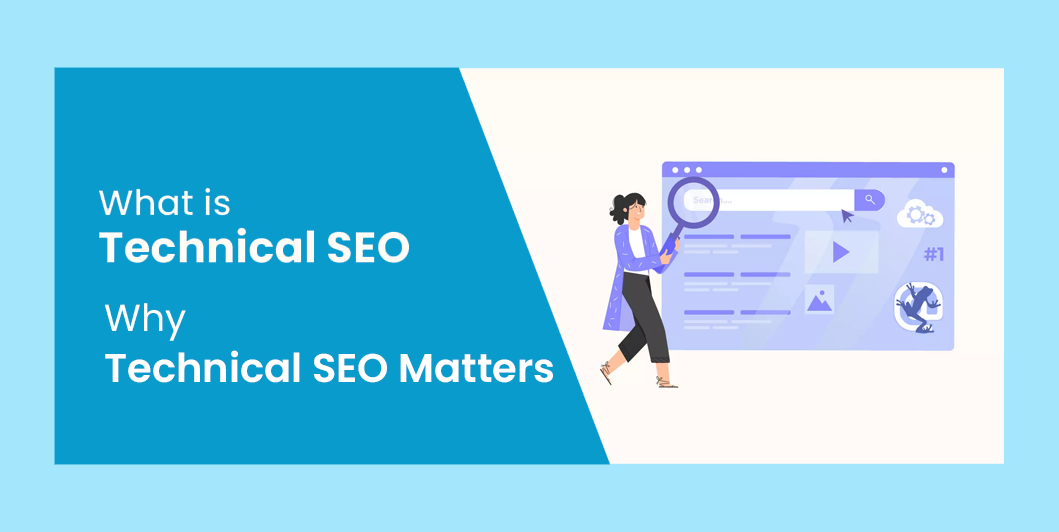
Technical SEO Made Simple: A Beginner’s Guide to Better Website Performance (2026)
Introduction
Imagine you’ve written outstanding content, chosen the perfect keywords, and built a beautiful website. Yet your pages still aren’t ranking well on Google.
The issue might not be your content—it could be your website’s technical foundation.
Technical SEO ensures that search engines can crawl, understand, and index your website efficiently while providing visitors with a fast, secure, and seamless browsing experience.
Think of it as the engine under the hood of your website. Visitors may not see it, but it plays a critical role in performance.
What Is Technical SEO?
Technical SEO focuses on optimizing the backend and infrastructure of your website to improve search engine crawling, indexing, and overall performance.
It includes:
- Website speed
- Mobile responsiveness
- HTTPS security
- XML sitemaps
- Robots.txt
- Structured data
- Core Web Vitals
- URL structure
- Crawlability
- Indexability
Unlike content optimization, technical SEO ensures that search engines can access and interpret your pages effectively.
Why Technical SEO Matters
A technically optimized website helps you:
- Improve Google rankings
- Load pages faster
- Reduce bounce rates
- Enhance user experience
- Increase crawl efficiency
- Build trust through secure browsing
Even the best content can struggle to rank if technical issues prevent search engines from accessing it.
1. Improve Website Speed
Fast-loading websites provide a better user experience and are favored by search engines.
To improve speed:
- Compress images
- Use browser caching
- Minify CSS and JavaScript
- Remove unnecessary plugins
- Use a Content Delivery Network (CDN)
- Choose reliable hosting
Aim for pages that load quickly across both desktop and mobile devices.
2. Optimize Core Web Vitals
Google measures user experience through Core Web Vitals, which focus on:
- Largest Contentful Paint (LCP): How quickly the main content loads.
- Interaction to Next Paint (INP): How responsive the page feels when users interact with it.
- Cumulative Layout Shift (CLS): How stable the page layout remains while loading.
Improving these metrics creates a smoother browsing experience.
3. Make Your Website Mobile-Friendly
With most web traffic coming from mobile devices, responsive design is essential.
Ensure that your website:
- Adapts to different screen sizes
- Uses readable text
- Has touch-friendly navigation
- Avoids horizontal scrolling
- Loads efficiently on mobile networks
4. Secure Your Website with HTTPS
HTTPS encrypts the connection between your website and visitors.
Benefits include:
- Improved security
- Greater user trust
- Better SEO signals
- Protection of user data
Every modern website should use an SSL certificate.
5. Create an XML Sitemap
An XML sitemap lists the important pages on your website, helping search engines discover and crawl your content more efficiently.
Update your sitemap whenever you publish significant new content.
6. Configure Robots.txt Correctly
The robots.txt file tells search engines which parts of your website they should or shouldn’t crawl.
Be careful not to accidentally block important pages.
7. Use SEO-Friendly URLs
Good URL example:
yourdomain.com/technical-seo-guideAvoid URLs filled with unnecessary numbers or symbols.
8. Fix Broken Links
Broken links create a poor user experience and waste crawl resources.
Regularly check for:
- Broken internal links
- Broken external links
- Missing images
- Redirect loops
9. Add Structured Data (Schema Markup)
Schema markup helps search engines understand your content more clearly.
Common types include:
- Article
- FAQ
- Organization
- Local Business
- Product
- Breadcrumb
Structured data can improve how your pages appear in search results.
10. Optimize Images
Large images slow down websites.
Best practices:
- Compress files before uploading
- Use descriptive filenames
- Add alt text
- Choose modern formats like WebP
- Enable lazy loading
11. Avoid Duplicate Content
Duplicate pages can confuse search engines and dilute ranking signals.
Use:
- Canonical URLs
- Unique titles
- Original content
- Proper redirects
12. Monitor Crawl Errors
Use Google Search Console to identify issues such as:
- Pages that aren’t indexed
- Crawl errors
- Broken URLs
- Mobile usability problems
Fixing these issues helps search engines access your site more effectively.
Read Also: 10 Reasons Every Small Business Needs a Professional Website
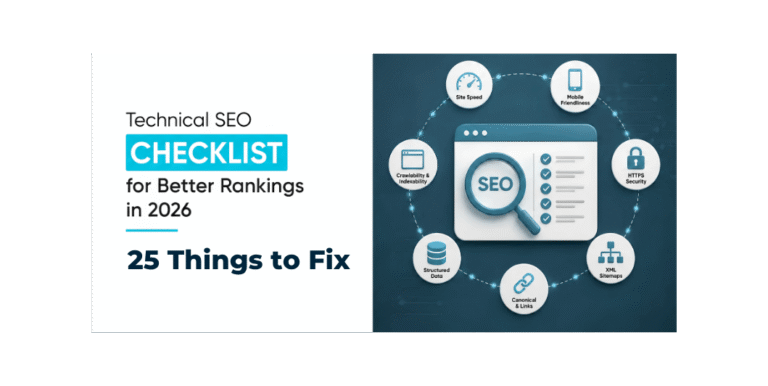
Technical SEO Checklist
Before publishing or auditing a website, confirm that you have:
✅ Fast loading pages
✅ Responsive mobile design
✅ HTTPS enabled
✅ XML sitemap submitted
✅ Robots.txt configured
✅ Clean URLs
✅ Internal links working
✅ No broken links
✅ Optimized images
✅ Structured data added where appropriate
✅ Duplicate content minimized
Common Technical SEO Mistakes
Avoid these common issues:
- Slow hosting
- Oversized images
- Missing SSL certificate
- Poor mobile experience
- Incorrect robots.txt rules
- Broken redirects
- Missing sitemap
- Ignoring Search Console warnings
Frequently Asked Questions
Is Technical SEO difficult?
Many improvements are straightforward, especially if you’re using a modern CMS like WordPress. Start with the basics—speed, security, mobile usability, and crawlability.
How often should I audit Technical SEO?
A quarterly review is a good starting point, with additional checks after major website updates or redesigns.
Do small business websites need Technical SEO?
Yes. Technical SEO benefits websites of all sizes by improving performance, visibility, and user experience.
Can plugins handle all Technical SEO?
SEO plugins simplify many tasks, but regular monitoring and manual checks are still important to catch issues that automation may miss.
Final Thoughts
Technical SEO creates the foundation that supports every other SEO effort. A fast, secure, and accessible website helps search engines understand your content while providing visitors with a better experience.
By combining strong technical SEO with high-quality content, effective keyword research, and on-page optimization, you give your website the best chance to perform well in search results over the long term.



One Comment