CRM for Small Businesses: How to Manage Customers and Increase Sales in 2026
Introduction
As your business grows, keeping track of customers using spreadsheets, notebooks, or scattered WhatsApp chats becomes increasingly difficult.
Questions like these become common:
- Did I follow up with that client?
- Which leads are ready to buy?
- Who requested a quotation last week?
- Which customers haven’t purchased in months?
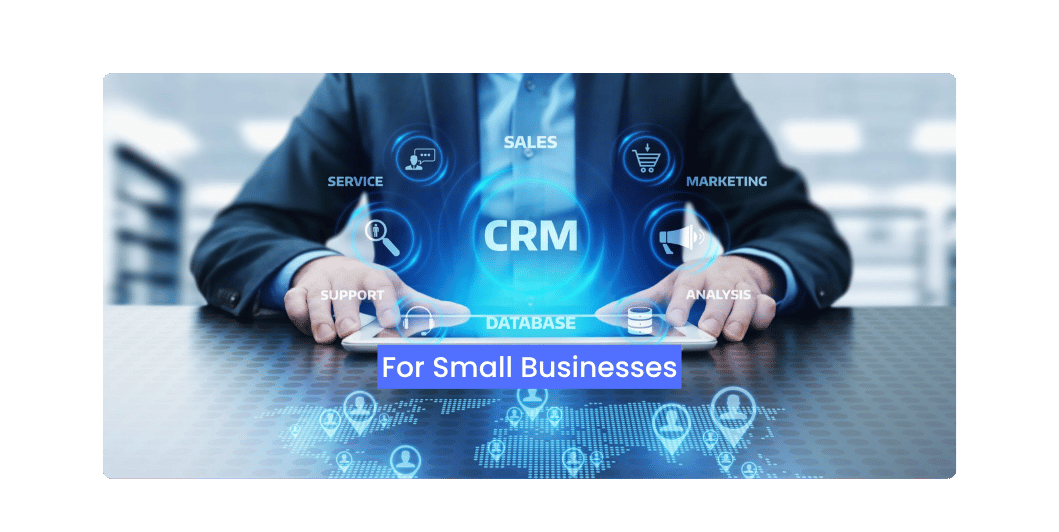
A Customer Relationship Management (CRM) system helps answer these questions by keeping all customer information in one organized place.
Whether you’re a freelancer, startup, retailer, or service provider, a CRM can help you build stronger customer relationships while making your sales process more efficient.
What Is a CRM?
CRM stands for Customer Relationship Management.
A CRM system is software that stores customer information and helps businesses manage interactions throughout the customer journey.
It keeps track of:
- Contact details
- Communication history
- Sales opportunities
- Follow-up reminders
- Quotes and invoices
- Customer notes
- Purchase history
Instead of searching through emails or chat messages, everything is available in one dashboard.
Why Every Small Business Needs a CRM
A CRM helps you:
- Organize customer information
- Track leads efficiently
- Never miss a follow-up
- Improve customer service
- Increase sales opportunities
- Save time
- Strengthen long-term customer relationships
As your customer base grows, these benefits become even more valuable.
Key Features of a CRM
A good CRM should include:
Contact Management
Store customer names, phone numbers, email addresses, company details, and notes in one place.
Lead Tracking
Track where each lead came from, such as:
- Website
- Google Ads
- Facebook Ads
- Referral
- Organic Search
Knowing your lead sources helps you evaluate your marketing efforts.
Read More: Email Marketing for Small Businesses
Sales Pipeline
Visualize where each prospect is in the sales process.
Typical stages include:
- New Lead
- Contacted
- Proposal Sent
- Negotiation
- Won
- Lost
This makes it easier to prioritize your next actions.
Task & Follow-Up Reminders
Never forget to:
- Call a prospect
- Send a proposal
- Schedule a meeting
- Renew a contract
- Request feedback
Timely follow-ups often improve conversion rates.
Reporting & Analytics
Track performance using reports such as:
- Monthly leads
- Sales closed
- Revenue generated
- Conversion rate
- Sales team performance
Reports help you make informed business decisions.
Benefits of CRM for Different Businesses
Service Businesses
Manage consultations, proposals, and client communication.
Retail Stores
Track loyal customers and repeat purchases.
Agencies
Manage projects, leads, and client interactions from a single platform.
B2B Companies
Track long sales cycles and multiple decision-makers.
Popular CRM Platforms
Some widely used CRM solutions include:
- HubSpot CRM
- Zoho CRM
- Salesforce
- Freshsales
- Pipedrive
- Monday CRM
Choose a platform that fits your business size, budget, and workflow.
Read More: Lead Generation for Small Businesses
Best Practices for CRM Success
To get the most value from your CRM:
- Keep customer records updated.
- Record every interaction.
- Schedule follow-up reminders.
- Segment customers based on interests or purchase history.
- Review reports regularly.
- Train your team to use the system consistently.
A CRM is only as effective as the information you put into it.
Common CRM Mistakes
Avoid these common issues:
- Entering incomplete customer information
- Ignoring follow-up reminders
- Failing to update deal stages
- Using multiple systems instead of one centralized platform
- Not reviewing reports regularly
- Overcomplicating the setup
CRM Implementation Checklist
Before launching your CRM, make sure you have:
✅ Imported customer contacts
✅ Defined your sales pipeline
✅ Created follow-up reminders
✅ Organized customer segments
✅ Assigned team responsibilities
✅ Connected your website forms
✅ Linked email accounts
✅ Set up reporting dashboards
Read More: Marketing Automation for Small Businesses
Frequently Asked Questions
Do small businesses really need a CRM?
Yes. Even businesses with a small customer base can benefit from organized records, timely follow-ups, and better communication.
Is a CRM difficult to use?
Most modern CRM platforms are designed to be user-friendly, and many offer free plans or guided onboarding.
Can a CRM improve customer retention?
Yes. By keeping track of customer interactions and scheduling timely follow-ups, a CRM can help strengthen long-term relationships.
Can I integrate a CRM with my website?
Many CRM platforms support integrations with websites, email marketing tools, contact forms, and other business applications.
Final Thoughts
A CRM is more than a digital address book—it’s a central hub for managing customer relationships, improving communication, and supporting business growth.
By organizing your customer data, tracking every opportunity, and following up consistently, you can provide better service while increasing sales and customer loyalty.
Investing in the right CRM today can help your business grow more efficiently tomorrow.