
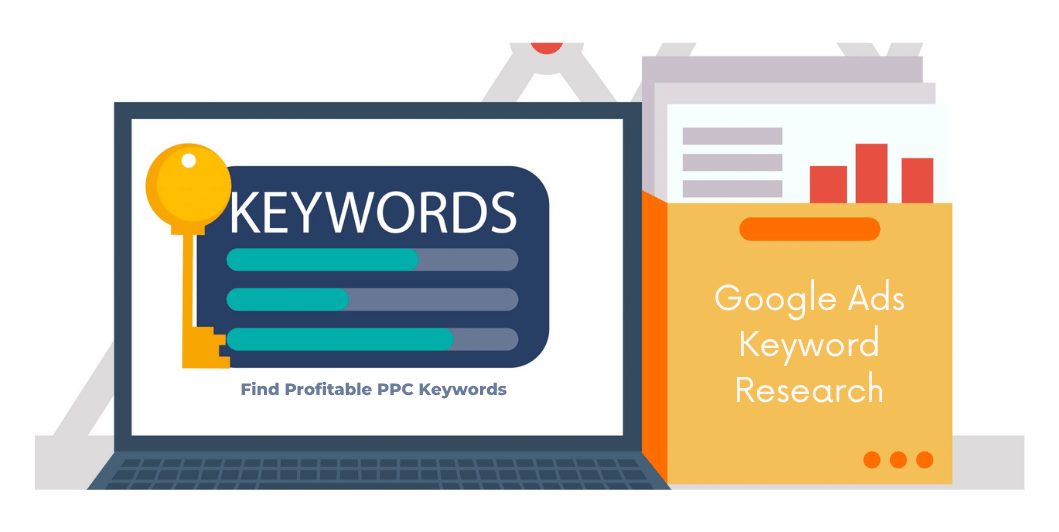
Google Ads Keyword Research: How to Find Profitable PPC Keywords in 2026
Choosing the right keywords is one of the most important parts of running Google Ads.
A business can have an excellent website, attractive advertisements and a reasonable budget—but if its campaigns target the wrong searches, advertising money can be spent on people who are unlikely to become customers.
That’s why Google Ads keyword research should happen before launching a Search campaign.
For example, imagine you run a website development company.
Someone searches:
“website development company in Kolkata“
This could indicate a strong commercial need.
But someone searching:
“what is a website”
is probably at a much earlier stage of research.
Both searches are related to websites, but their intent is different.
Good PPC keyword research helps you identify those differences.
In this guide, we’ll explain how to research Google Ads keywords in 2026, how to understand search intent, how match types work, how to find negative keywords, how to organize campaigns, and how to evaluate whether your keyword strategy is attracting valuable traffic.
What Is Google Ads Keyword Research?
Google Ads keyword research is the process of identifying search terms that potential customers may use when looking for your products or services.
The research process involves understanding:
- What customers search for
- How closely each search relates to your offer
- Search intent
- Competition
- Expected advertising costs
- Geographic relevance
- Commercial value
- Potentially irrelevant searches
The objective isn’t to find the largest possible list of keywords.
The objective is to find relevant search opportunities that make business sense.
Why Keyword Research Matters in Google Ads
Imagine you have a monthly budget of ₹30,000.
If your campaign attracts many irrelevant clicks, part of that budget may be consumed without producing meaningful enquiries or sales.
For example, a company selling professional website development might not want to spend heavily on searches such as:
- Website tutorial
- Free website
- Website course
- Website jobs
- Learn web development
These searches may be related to the industry but not necessarily to the company’s commercial offer.
Good keyword research helps separate:
Relevant commercial searches
from
Low-value or irrelevant searches.
Search Intent: The Foundation of PPC Keyword Research
Before adding a keyword to Google Ads, ask:
What is this person actually trying to accomplish?
Search intent can broadly be divided into several categories.
1. Informational Intent
The user wants information.
Examples:
- What is SEO?
- How does Google Ads work?
- What is WordPress?
- How to create a website
These searches can be useful for content marketing, but they may not always be suitable for direct lead-generation advertising.
2. Commercial Investigation
The user is researching options before making a decision.
Examples:
- Best website development company
- WordPress vs custom website
- Best hosting for business website
- SEO agency pricing
These searches may indicate stronger commercial interest, although the user may still be comparing providers.
3. Transactional/Commercial Intent
The user appears to be looking for a product, service or provider.
Examples:
- Website development company
- Hire WordPress developer
- SEO services Kolkata
- Google Ads agency near me
These searches can be particularly relevant to service businesses.
4. Navigational Intent
The user is trying to reach a specific website or business.
Examples:
- NCSFORU
- Amazon login
These searches may not be appropriate targets for a competitor’s generic advertising campaign.
Start With Your Products and Services
Don’t begin keyword research with random keyword tools.
Start with your actual business.
Create a list of:
Products
For example:
- Laptops
- Office computers
- Printers
- Accessories
Services
For example:
- Website development
- SEO
- Google Ads management
- Social media marketing
- IT support
Locations
For example:
- Kolkata
- Salt Lake
- New Town
- Howrah
Then combine them logically.
For example:
SEO + Kolkata
→ SEO services Kolkata
Website development + Kolkata
→ website development company Kolkata
IT support + Kolkata
→ IT support Kolkata
This gives you a starting keyword universe.
Use Google Keyword Planner
One of the most useful tools for Google Ads keyword research is Google Keyword Planner.
It can help advertisers research keyword ideas and understand estimates and trends relevant to planning campaigns.
You can start with a product or service such as:
“website development”
and explore related keyword ideas.
Look for:
- Relevant search terms
- Search trends
- Competition information
- Estimated bid ranges where available
- Geographic relevance
Remember that tool estimates are planning information—not guarantees of clicks, conversions or profitability.
Use Google’s Search Results
Google itself is another useful research source.
Search your main service.
For example:
“SEO services Kolkata”
Then examine:
- Search suggestions
- Related searches
- Advertisements
- Organic results
- Questions users ask
- Competitor messaging
This can reveal how customers describe the problem and what businesses are advertising.
However, don’t blindly copy competitor keywords or advertisements.
Use the results as research input.
Use Google Search Suggestions
Start typing:
website development
Google may suggest variations such as:
- website development company
- website development services
- website development cost
- website development company near me
These suggestions can help identify different customer intents.
Repeat the process with your major services.
Build a Keyword List
Create a spreadsheet with columns such as:
| Keyword | Intent | Location | Relevance | Landing Page | Negative? |
|---|---|---|---|---|---|
| website development company | Commercial | Kolkata | High | Website Service | No |
| website development course | Informational | Any | Low | — | Yes |
| WordPress developer | Commercial | Kolkata | High | WordPress Service | No |
| free website builder | Research | Any | Low | — | Yes |
This makes campaign planning much easier.
Don’t Put Every Keyword Into One Campaign
A common beginner mistake is creating one giant campaign containing every keyword.
Instead, organize keywords into closely related groups.
For example:
Campaign: Website Development
Ad group:
Business Website
Keywords:
- business website development
- professional business website
- business website developer
Ad group:
WordPress Development
Keywords:
- WordPress website developer
- WordPress development services
- WordPress developer Kolkata
Ad group:
eCommerce Development
Keywords:
- eCommerce website development
- WooCommerce developer
- online store development
This structure makes it easier to create relevant advertisements and landing pages.
Google Ads Keyword Match Types
Understanding match types is essential.
Google Ads currently provides keyword matching options that influence how closely a user’s search must relate to your keyword before your ad can be eligible to show.
The main keyword match types are:
- Broad match
- Phrase match
- Exact match
Broad Match
Broad match provides the widest reach among the keyword match options.
Google can consider related searches beyond the exact wording of your keyword.
For example, a broad keyword around:
website development
could potentially match a range of searches related to that concept.
Broad match can help discover additional relevant searches, but it requires careful conversion measurement and ongoing search-term management.
Phrase Match
Phrase match provides more control while still allowing variations and searches with related meaning under Google’s matching system.
For example, a phrase-oriented keyword around:
“website development company”
may be eligible for searches expressing a similar meaning.
Always evaluate actual search terms rather than assuming the match type will behave exactly like a simple word-order filter.
Exact Match
Exact match provides greater control over matching than broad match, while still allowing close variants and meaning-based matches under Google’s system.
It is useful when you want tighter control over the search themes you are targeting.
However, exact match does not necessarily mean only the exact same words will trigger an ad.
Google’s matching system can include close variants and searches with the same intent.
Negative Keywords
Negative keywords are extremely important for controlling irrelevant traffic.
Suppose you’re advertising:
Professional Website Development
You may want to exclude searches containing terms such as:
- Jobs
- Salary
- Course
- Tutorial
- Free
- Training
depending on your actual business.
For example:
website developer jobs
may be irrelevant to a company trying to acquire customers.
Negative keywords can help reduce exposure to searches that don’t align with your business objectives.
Build a Negative Keyword List
Create a shared negative keyword list based on your business.
Possible categories include:
Employment
- Jobs
- Job
- Vacancy
- Career
- Salary
Education
- Course
- Training
- Tutorial
- Certification
- Exam
Free resources
- Free
- Download
- Template
DIY
- How to
- Tutorial
- Guide
But don’t blindly add every informational term.
Some informational searches may actually be valuable to your business.
Negative keyword decisions should be based on your objectives and actual search-term data.
Don’t Automatically Exclude “How To”
Here’s an important nuance.
A business selling consulting services might benefit from searches such as:
“how to improve Google Ads performance”
because the searcher could eventually need professional help.
A software company might also use informational searches to build awareness.
Therefore, negative keywords should be based on business intent, not generic assumptions.
High-Intent vs Low-Intent Keywords
Consider these examples for a web development company.
High commercial intent
- website development company
- website developer for business
- eCommerce website development
- WordPress developer near me
Medium intent
- business website cost
- website development pricing
- best website platform for small business
Lower direct commercial intent
- what is a website
- how websites work
- website tutorial
The lower-intent keywords aren’t necessarily useless.
They simply represent a different stage of the customer journey.
Long-Tail Keywords
Long-tail keywords are longer and often more specific search phrases.
Examples:
“WordPress website developer for small business in Kolkata”
instead of:
“WordPress developer”
Long-tail searches can provide useful context about:
- Service
- Customer type
- Location
- Requirement
They may also have lower search volume than broader terms.
The important question isn’t simply:
“Does this keyword have high search volume?”
Ask:
“Does this keyword represent a valuable customer for my business?”
Location-Based Keywords
Local businesses should consider geographic intent.
For example:
- SEO agency Kolkata
- Website developer Kolkata
- Digital marketing agency Salt Lake
- IT support New Town
- Web designer near me
You can also use geographic campaign targeting separately from keywords.
Don’t assume you need to put the city name into every keyword.
Campaign location settings can play an important role too.
Brand Keywords
Brand keywords require special consideration.
Suppose your business is called:
ABC Digital
Potential searches include:
- ABC Digital
- ABC Digital Kolkata
- ABC Digital reviews
Whether you should advertise on your own brand terms depends on your competitive environment and business objectives.
Don’t automatically assume brand campaigns are necessary or unnecessary.
Measure their business value.
Competitor Keywords
Some advertisers consider targeting competitor names.
Before doing this, understand:
- Google Ads policies
- Trademark considerations
- Local laws
- Advertising rules
- Your industry’s requirements
Also consider whether the traffic is genuinely valuable.
Someone searching specifically for a competitor may have different expectations from someone searching for a generic service.
Keyword Relevance Is More Important Than Keyword Quantity
A list containing 5,000 keywords isn’t automatically better than a carefully researched list containing 100.
Imagine:
5,000 loosely related keywords
versus
100 highly relevant commercial keywords
The second list may be much easier to manage and evaluate.
Start focused.
Expand when your data gives you a reason to do so.
Match Keywords to Landing Pages
Every major keyword group should have an appropriate landing page.
For example:
Keyword: eCommerce website development
Landing page: eCommerce Website Development
Not:
Homepage
Similarly:
Keyword: SEO services Kolkata
should ideally lead to a relevant SEO service page rather than an unrelated blog post.
This creates a better connection between:
Keyword → Ad → Landing Page → Conversion
Use Search Terms to Discover New Keywords
One of the most valuable sources of keyword ideas is your own campaign data.
After your campaign runs, review the actual search terms that triggered your advertisements.
You may discover:
New relevant keywords
Add them to your campaign if appropriate.
Irrelevant searches
Consider adding negative keywords.
Unexpected customer needs
Create new landing pages or services if they align with your business.
This creates a continuous research cycle:
Launch → Measure → Learn → Refine → Expand
Don’t Optimize Based on CPC Alone
A keyword with a low CPC isn’t necessarily valuable.
Consider:
Keyword A
CPC: ₹20
100 clicks
1 customer
Keyword B
CPC: ₹80
30 clicks
5 customers
The second keyword costs more per click but may produce better business results.
This is why you should evaluate:
- Conversions
- Qualified leads
- Customers
- Revenue
- Customer acquisition cost
rather than CPC alone.
Keyword Quality and Landing Page Experience
A good keyword strategy can’t compensate for a poor landing page.
Your landing page should be:
- Relevant
- Fast
- Mobile-friendly
- Easy to understand
- Trustworthy
- Focused on one primary action
- Consistent with the advertisement
For website speed optimization, see our How to Make Your Website Faster guide.
You can also use our Core Web Vitals guide to understand important website performance metrics.
Google Ads Keyword Research for Different Businesses
Local Service Business
Focus on:
- Service + location
- Service near me
- Emergency/high-intent searches
- Specific services
Example:
plumber Kolkata
Digital Marketing Agency
Potential themes:
- SEO services
- Google Ads management
- Digital marketing agency
- Local SEO services
- Social media marketing
eCommerce Store
Focus on:
- Product names
- Product categories
- Specific product attributes
- High-intent shopping searches
B2B Business
Focus on:
- Industry-specific services
- Product specifications
- Commercial requirements
- Solution-oriented searches
B2B campaigns may require additional qualification because search volume can be smaller and sales cycles longer.
A Simple Google Ads Keyword Research Process
Follow this process for each campaign.
Step 1: Define the business objective
Example:
Generate enquiries for website development.
Step 2: List your services
Create your initial keyword themes.
Step 3: Research search terms
Use Keyword Planner, Google Search and customer language.
Step 4: Classify intent
Separate informational, research and commercial searches.
Step 5: Group related keywords
Create tightly related ad groups.
Step 6: Identify negative keywords
Remove obvious irrelevant themes.
Step 7: Create relevant landing pages
Match each major keyword group to the right page.
Step 8: Launch with controlled targeting
Don’t begin with every possible keyword.
Step 9: Review search terms
Look at actual searches after your campaigns generate data.
Step 10: Optimize
Add useful keywords, remove irrelevant traffic and improve advertisements and landing pages.
Google Ads Keyword Research Checklist
Before launching your campaign:
Research
- Business objectives defined
- Products/services listed
- Customer language researched
- Keyword Planner reviewed
- Google Search suggestions reviewed
- Competitor landscape researched
Intent
- Commercial keywords identified
- Informational keywords evaluated
- Search intent classified
- Local intent considered
Campaign
- Keywords grouped logically
- Appropriate match types selected
- Negative keywords created
- Locations configured
- Landing pages mapped
Measurement
- Conversion tracking configured
- Lead quality monitored
- Search terms reviewed
- Cost per conversion monitored
- Customer acquisition measured where possible
10 Google Ads Keyword Research Mistakes to Avoid
1. Choosing keywords only because they have high volume
High volume doesn’t automatically mean high business value.
2. Using extremely broad keywords
Broad terms can attract searches that aren’t relevant to your offer.
3. Ignoring search intent
A keyword may look relevant but represent a completely different customer need.
4. Not using negative keywords
Irrelevant searches can consume budget.
5. Putting unrelated keywords into one ad group
This can make advertisements and landing pages less relevant.
6. Sending every visitor to the homepage
Use relevant landing pages wherever practical.
7. Ignoring actual search terms
Your campaign data can provide valuable new keyword insights.
8. Measuring only CPC
Cheap clicks aren’t necessarily valuable clicks.
9. Adding thousands of keywords immediately
Start with a focused structure.
10. Expecting guaranteed conversions
Keywords create opportunities for advertising exposure; they don’t guarantee sales.
Google Ads Keyword Strategy Example
Let’s take a fictional Kolkata-based web development agency.
Campaign
Business Website Development
Ad Group 1 — Business Website
- business website development
- professional business website
- business website developer
Ad Group 2 — WordPress
- WordPress website developer
- WordPress development company
- WordPress developer Kolkata
Ad Group 3 — eCommerce
- eCommerce website development
- online store development
- WooCommerce developer
Possible negative keywords
- jobs
- salary
- course
- training
- tutorial
- free
The exact list should be refined based on actual campaign data.
How to Know If Your Keywords Are Working
Ask these questions regularly:
Are the searches relevant?
If not, improve targeting and negative keywords.
Are users clicking?
If not, review keyword-ad relevance and messaging.
Are users converting?
If not, investigate the landing page, offer and targeting.
Are leads qualified?
If not, refine your audience and search themes.
Are customers profitable?
This is the most important business question.
A keyword can generate conversions and still be unsuitable if the resulting customers don’t make economic sense for the business.
Final Thoughts
Google Ads keyword research isn’t about finding the most keywords. It’s about finding the right searches.
Start with your business objectives.
Understand your customers.
Research how they search.
Separate different types of search intent.
Group related keywords.
Use appropriate match types.
Build negative keyword lists.
Create relevant landing pages.
Then use actual search-term and conversion data to improve your campaigns.
The strongest PPC keyword strategy is not static.
It evolves as you learn more about:
What people search → what they click → what they enquire about → what they buy.
For small businesses, this approach can make Google Ads management more measurable and disciplined.
And remember:
A keyword is valuable because of the business opportunity behind the search—not simply because it has high search volume.
Frequently Asked Questions
What is Google Ads keyword research?
It is the process of identifying and organizing search terms that potential customers may use when looking for your products or services through Google.
Which keywords are best for Google Ads?
There is no universal list of best keywords. The most useful keywords depend on your business, customer, location, competition, margins and campaign objective. Commercially relevant searches are often important for lead-generation campaigns.
Is Google Keyword Planner free?
Google provides Keyword Planner as part of Google Ads. Access and available functionality can depend on your Google Ads account and usage context.
What are negative keywords?
Negative keywords are terms you specify to help prevent your advertisements from being eligible for searches that are irrelevant to your campaign, subject to Google’s matching behavior and campaign settings.
Should I use broad match keywords?
Broad match can provide wider reach and help discover related searches, but it should be used with appropriate conversion tracking, targeting and search-term management.
What is the difference between SEO keywords and Google Ads keywords?
There is considerable overlap, but the strategy can differ. SEO often targets topics and search intent across a broader content strategy, while Google Ads keyword selection is closely tied to paid search eligibility, campaign objectives and advertising economics.
How many keywords should a Google Ads campaign have?
There is no fixed number. Start with a focused set of highly relevant keywords and expand based on actual performance and search-term data.
How often should I review Google Ads keywords?
Review search-term and campaign performance regularly. The exact frequency depends on spending, traffic volume and campaign complexity.
Featured Image Text
GOOGLE ADS KEYWORD RESEARCH
Find the Right PPC Keywords in 2026
Research • Target • Convert
Featured Image Concept
Create a premium 1200 × 675 px digital marketing blog graphic.
Visual elements:
- Laptop showing a generic keyword research dashboard
- Search bar with generic PPC keyword phrases
- Magnifying glass
- Keyword cards
- Target/bullseye icon
- Analytics graph
- Calculator
- Small business workspace
- Subtle Google Ads/PPC visual cues
Color theme: dark navy, orange and white.
Keep the design clean, modern and professional, with the headline clearly readable and enough negative space around the main text.

2 Comments