Google Ads for Small Businesses: Complete Beginner’s Guide to PPC in 2026
Introduction
For a small business, getting in front of potential customers at the exact moment they’re searching for your product or service can be extremely valuable.
That’s where Google Ads comes in.
Unlike traditional advertising, where you may show an advertisement to a broad audience and hope the right people notice it, Google Ads can help businesses reach people based on what they are searching for and other campaign targeting signals.
For example:
Someone searches:
“website development company in Kolkata”
A web development company could potentially show a paid search advertisement for that query.
Someone searches:
“AC repair near me”
A local service business may use paid search advertising to reach customers actively looking for that service.
This makes Google Ads particularly useful for businesses where customers already have a clear commercial need.
However, Google Ads isn’t simply a matter of adding money and getting customers.
A profitable campaign requires the right:
- Keywords
- Targeting
- Advertisements
- Landing pages
- Budget
- Conversion tracking
- Bidding strategy
- Optimization process
In this complete beginner’s guide, we’ll explain how Google Ads works for small businesses in 2026, how much you may need to budget, how to structure campaigns, common mistakes to avoid, and how to determine whether your campaigns are actually producing business results.
Read Also: SEO vs Google Ads
What Is Google Ads?
Google Ads is Google’s online advertising platform.
Businesses can use it to promote products, services, websites, apps and other offers across Google’s advertising ecosystem.
Depending on the campaign type, advertisements may appear across places such as:
- Google Search
- YouTube
- Partner properties
- Websites and apps across Google’s advertising network
- Other Google surfaces
For small businesses, Search campaigns are often a logical starting point when the objective is to reach people actively searching for a product or service.
The basic idea is simple:
Customer searches → relevant advertisement may appear → customer clicks → customer visits your website → customer takes an action.
That action might be:
- Calling your business
- Filling out an enquiry form
- Buying a product
- Requesting a quotation
- Booking an appointment
- Sending a WhatsApp enquiry
- Visiting your physical location
The goal isn’t simply to generate clicks.
The goal is to generate valuable business outcomes.
How Does Google Ads Work?
Google Ads operates through an advertising auction.
When a user performs a search that could trigger an advertisement, eligible advertisers can compete for an opportunity to show an ad.
The system considers multiple factors, including the advertiser’s bid and the quality/relevance of the ad and landing experience.
This means:
The advertiser willing to spend the most doesn’t automatically win every placement.
Campaign quality matters.
A strong campaign generally combines:
Relevant search intent + appropriate targeting + useful advertisement + strong landing page + competitive bidding + good measurement.
Google Ads vs SEO
Before spending money on Google Ads, it’s important to understand how it differs from SEO.
| SEO | Google Ads |
|---|---|
| Organic search visibility | Paid advertising |
| Usually takes time | Can potentially generate visibility quickly |
| No payment for each organic click | Advertising costs apply |
| Long-term investment | Ongoing campaign investment |
| Content and website focused | Campaign and advertising focused |
| Rankings aren’t guaranteed | Ad placement isn’t guaranteed |
| Can continue generating traffic after publishing | Paid traffic generally depends on active campaigns |
Neither is automatically better.
For many small businesses, SEO and Google Ads can work together.
Our previous guide, SEO vs Google Ads: Which Is Better for Small Businesses in 2026?, explains the differences in more detail.
Why Should Small Businesses Use Google Ads?
Google Ads can be particularly useful when people are already searching for what you sell.
Consider the difference between these two audiences.
Audience A
Someone casually browsing social media.
They may or may not need your product.
Audience B
Someone searches:
“best website developer for small business”
That person is actively researching a solution.
Search advertising can therefore be particularly valuable for businesses with clear commercial search intent.
Potential benefits include:
- Faster access to targeted traffic
- Geographic targeting
- Keyword-based targeting
- Ability to control campaign budgets
- Measurable conversions
- Ability to test offers
- Ability to promote specific services or products
- Useful data for marketing decisions
But these benefits depend on proper campaign management.
Google Ads Campaign Types
Google Ads includes multiple campaign formats.
The most appropriate choice depends on your objective.
1. Search Campaigns
Search campaigns can show text advertisements when people search on Google for relevant queries.
They are often useful for:
- Local services
- Professional services
- B2B services
- Home services
- Education
- Healthcare businesses
- Legal services
- Financial services
- High-intent product searches
For many beginners, Search is one of the easiest campaign types to understand because the relationship between search → ad → landing page is relatively direct.
2. Display Campaigns
Display advertising can help businesses reach people across websites and apps participating in Google’s advertising ecosystem.
Display can be useful for:
- Brand awareness
- Remarketing
- Visual promotions
- Re-engagement
However, Display traffic can behave differently from Search traffic.
Someone actively searching for a service and someone casually browsing a website don’t necessarily have the same purchase intent.
3. YouTube Advertising
Google Ads can also be used for advertising on YouTube.
Video advertising can be useful for:
- Brand awareness
- Product demonstrations
- Educational content
- New product launches
- Remarketing
- Visual storytelling
For some businesses, video can build familiarity before a customer is ready to purchase.
4. Shopping Campaigns
eCommerce businesses can use Google’s shopping-related advertising capabilities to promote products.
These can be especially useful when customers search for specific products.
A strong product feed and well-optimized product information are important parts of eCommerce advertising.
5. Performance Max
Performance Max campaigns can help advertisers reach customers across multiple Google advertising channels through a unified campaign.
They can be useful for advertisers who have sufficient conversion data and clear business objectives.
However, beginners should not treat Performance Max as a magic “set and forget” campaign.
You still need:
- Strong conversion tracking
- Good product/service information
- Quality creative assets
- Appropriate audience signals where relevant
- Clear goals
- Ongoing evaluation
Read Also: Keyword Research
Which Google Ads Campaign Should a Small Business Start With?
For many service-based small businesses, a focused Search campaign can be a sensible starting point.
For example:
Digital marketing agency
Target relevant high-intent searches around services.
Plumber
Target searches for plumbing services in specific service areas.
Dental clinic
Target relevant treatment searches in the clinic’s service area.
eCommerce store
Consider Shopping/product advertising alongside other appropriate campaigns.
The correct campaign depends on the business model.
How Much Does Google Ads Cost in India?
There is no single fixed Google Ads price.
Your actual costs can vary significantly depending on:
- Industry
- Competition
- Keywords
- Location
- Customer demand
- Campaign quality
- Targeting
- Bidding
- Landing page experience
- Time of year
For example, highly competitive professional services can have very different advertising economics from lower-competition local services.
Instead of asking:
“How much does Google Ads cost?”
a better question is:
“How much can I afford to spend to acquire one qualified customer profitably?”
Google Ads Budget Example
Suppose a small business has a monthly advertising budget of:
₹30,000
You shouldn’t assume that ₹30,000 will automatically generate a specific number of leads.
Instead, create a measurement framework.
For example:
Monthly budget: ₹30,000
Clicks: Depends on actual CPC
Leads: Depends on conversion rate
Qualified leads: Depends on lead quality
Customers: Depends on sales conversion
Revenue: Depends on average customer value
This creates a much more realistic model.
How to Calculate a Sustainable Google Ads Budget
Start with your customer economics.
Suppose:
Average customer revenue = ₹20,000
and your business determines that spending up to:
₹5,000 per acquired customer
can work profitably after considering your margins and other costs.
You can then use this as a target acquisition benchmark.
But don’t confuse:
- Cost per click
- Cost per lead
- Cost per qualified lead
- Cost per customer
They are completely different metrics.
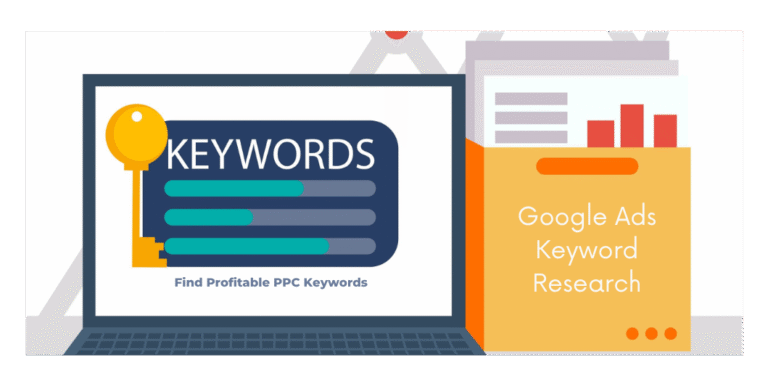
Keyword Research for Google Ads
Keywords are one of the most important parts of Search advertising.
Imagine you’re a website development company.
Potential keywords could include:
- Website development company
- Business website development
- WordPress website developer
- eCommerce website development
- Website development services
But not every keyword is equally valuable.
Consider search intent.
Informational
“What is WordPress?”
The user is probably researching.
Commercial investigation
“WordPress vs custom website”
The user is comparing options.
Transactional/commercial
“WordPress website development company”
The user may be looking for a provider.
The last example may have stronger commercial intent for a web development agency.
Good keyword research helps you understand these differences.
For more information, see our Keyword Research for SEO guide.
Read Also: Digital Marketing for Small Businesses
Use Negative Keywords
One of the most important concepts in Google Ads is the negative keyword.
Negative keywords help prevent your ads from showing for searches that aren’t relevant to your business, subject to how matching and campaign settings work.
For example, a business selling premium professional website development might want to avoid irrelevant searches involving:
- Free
- Jobs
- Course
- Tutorial
- DIY
The exact negative keyword strategy depends on the business.
Regularly reviewing actual search terms can reveal irrelevant queries and new opportunities.
Write Better Google Ads
Your advertisement needs to match the user’s intent.
Instead of vague messaging like:
“We Offer Great Services”
be specific.
For example:
Professional Business Websites
Responsive websites for growing businesses. Discuss your requirements with our team.
The advertisement should communicate:
- What you offer
- Who it’s for
- Why the user should consider you
- What action they can take
Don’t make claims you can’t substantiate.
Avoid exaggerated promises such as:
- “Guaranteed #1”
- “100% guaranteed sales”
- “Guaranteed Google ranking”
Your advertising should be accurate and trustworthy.
Create Dedicated Landing Pages
One of the biggest mistakes small businesses make is sending every advertisement to the homepage.
Imagine someone searches:
“eCommerce website development company”
and clicks your ad.
Instead of sending them to a generic homepage, consider sending them to a relevant eCommerce website development page.
The landing page should clearly explain:
- The service
- Who it’s for
- Key benefits
- Process
- Portfolio/case studies where available
- FAQs
- Pricing information where appropriate
- Contact options
- Clear CTA
The closer the connection between search → ad → landing page, the better the user experience.
Google Ads Conversion Tracking
This is one of the most important parts of PPC.
Without conversion tracking, you may know:
“We received 500 clicks.”
But you may not know:
“We received 18 qualified enquiries from those clicks.”
The second piece of information is far more useful.
Depending on your business, conversions could include:
- Form submissions
- Phone calls
- Purchases
- Appointment bookings
- Quote requests
- Sign-ups
- Other meaningful actions
Make sure your tracking reflects actual business objectives.
Don’t Optimize for Clicks Alone
A campaign can generate thousands of clicks and still be a poor campaign.
Imagine:
Campaign A
1,000 clicks
5 leads
Campaign B
300 clicks
25 leads
Campaign B may be much more valuable despite receiving fewer clicks.
This is why small businesses should focus on quality and outcomes, not vanity metrics.
Important Google Ads Metrics
Here are some metrics worth monitoring.
Impressions
How often your advertisements were shown.
Clicks
How many times users clicked your advertisements.
CTR
Click-through rate measures how often users clicked after seeing an advertisement.
CPC
Cost per click indicates how much you’re paying for clicks.
Conversion Rate
The percentage of measured users who complete a desired conversion.
Cost per Conversion
How much advertising spend is associated with each tracked conversion.
Qualified Lead Rate
Not every lead is valuable.
A qualified lead is one that matches your business criteria.
Customer Acquisition Cost
This measures the cost associated with acquiring a customer.
This is much closer to the actual business objective than simply looking at clicks.
Local Google Ads Strategy
Local businesses should take advantage of geographic relevance.
For example, if you operate in Kolkata, you may want to focus campaigns on your actual service area rather than advertising across the entire country.
Depending on the business, you can organize campaigns around:
- City
- Areas served
- Service type
- Customer intent
Your landing page should also clearly communicate where you provide the service.
Google Business Profile and local SEO can complement paid search.
See our guides on Google Business Profile and Local SEO for Small Businesses.
Google Ads for Service Businesses
Service businesses should generally focus on lead quality, not just lead quantity.
For example:
A real estate company may receive 100 enquiries, but only 10 may be serious prospects.
A web development agency may receive 30 enquiries, but only 8 may have suitable budgets and requirements.
Therefore, track the sales process beyond the first form submission.
A useful funnel is:
Impression → Click → Enquiry → Qualified Lead → Sales Conversation → Customer → Revenue
The further you can measure into this funnel, the better you can evaluate advertising performance.
Google Ads for eCommerce Businesses
For an online store, the process is slightly different.
You can track:
- Product views
- Add to cart
- Checkout
- Purchases
- Revenue
- Advertising spend
- Return on ad spend
This allows you to understand which campaigns and products contribute to sales.
Google Ads should also be integrated with your broader eCommerce strategy.
Your product pages need:
- Good images
- Accurate titles
- Clear descriptions
- Pricing
- Availability information
- Shipping information
- Trust elements
- Strong mobile experience
Our WooCommerce Product Page Optimization guide covers many of these principles.
How to Start Google Ads With a Small Budget
You don’t need to launch dozens of campaigns on day one.
Start narrow.
Step 1: Choose one business objective
For example:
Generate qualified website development enquiries.
Step 2: Choose your most valuable service
Don’t advertise every service simultaneously.
Step 3: Research relevant searches
Focus on searches with meaningful commercial intent.
Step 4: Define your service area
Choose locations that make business sense.
Step 5: Create a dedicated landing page
Make sure the page matches the advertisement.
Step 6: Set up conversion tracking
Track the actions that matter.
Step 7: Launch with a controlled budget
Don’t spend heavily before you have enough information to evaluate the campaign.
Step 8: Review the data
Look for:
- Relevant searches
- Irrelevant searches
- Lead quality
- Conversion rates
- Cost per conversion
Step 9: Optimize
Pause or adjust poor-performing elements and improve what works.
Google Ads Mistakes Small Businesses Should Avoid
1. Sending traffic to a poor website
Advertising can’t fix a website that doesn’t convert.
2. Targeting everything
More keywords aren’t automatically better.
3. Ignoring negative keywords
Irrelevant traffic can consume budget.
4. Not tracking conversions
Without conversion data, decision-making becomes difficult.
5. Measuring only clicks
Clicks aren’t customers.
6. Changing everything every day
Campaigns need enough meaningful data for evaluation.
7. Using misleading advertisements
Your advertisement should accurately represent the landing page and offer.
8. Ignoring mobile users
A significant portion of search traffic can come from mobile devices.
Your landing pages need to work properly on smaller screens.
9. Having no follow-up process
Generating a lead is only the beginning.
If your sales team takes too long to respond, advertising performance can suffer even when the campaign is generating enquiries.
10. Expecting guaranteed results
No legitimate PPC strategy can guarantee a fixed number of sales simply because you spend a certain amount.
Google Ads + SEO: The Smart Combination
Google Ads and SEO can complement each other.
Imagine you have an important service page.
You can use Google Ads to generate targeted traffic while simultaneously working on the page’s organic visibility through SEO.
Over time, you can evaluate:
- Paid search performance
- Organic traffic
- Conversion rates
- Customer acquisition costs
- Search demand
- Keyword performance
This allows you to build a diversified search marketing strategy.
For SEO, start with our SEO Audit for Small Businesses and identify technical, content and on-page opportunities.
When Should You NOT Use Google Ads?
Google Ads isn’t right for every situation.
Be cautious if:
- Your product has almost no search demand.
- Your profit margins cannot support acquisition costs.
- You don’t have a clear offer.
- Your website doesn’t convert.
- You cannot track meaningful conversions.
- You haven’t defined your target customer.
- You expect advertising to fix fundamental business problems.
Sometimes the better first investment is:
Website → Offer → Landing Page → Tracking → SEO → Ads
rather than immediately increasing the advertising budget.
Google Ads Checklist for Small Businesses
Before launching a campaign, check the following:
Business
- Clear target customer
- Clear offer
- Defined service area
- Suitable pricing/margins
- Lead follow-up process
Website
- Fast website
- Mobile-friendly design
- Relevant landing page
- Clear CTA
- Trust information
- Contact details
- Working forms
Campaign
- Appropriate campaign type
- Relevant keywords
- Negative keyword strategy
- Geographic targeting
- Appropriate budget
- Relevant advertisements
Measurement
- Conversion tracking
- Analytics
- Lead tracking
- Revenue tracking where possible
- Regular performance reviews
How Often Should You Optimize Google Ads?
Google Ads shouldn’t necessarily be launched and forgotten.
Create a regular review process.
Weekly
Review:
- Search terms
- Budget
- Major performance changes
- Conversion quality
- Obvious irrelevant traffic
Monthly
Review:
- Cost per lead
- Qualified lead rate
- Customer acquisition cost
- Campaign performance
- Landing pages
- Keyword opportunities
- Geographic performance
Quarterly
Review your overall strategy.
Ask:
Are these campaigns actually producing profitable customers?
If the answer is no, increasing the budget isn’t necessarily the solution.
Final Thoughts
Google Ads can be a powerful marketing channel for small businesses in 2026—but only when it is treated as a measurable business investment rather than simply an advertising expense.
The strongest campaigns don’t focus only on getting clicks.
They focus on the complete customer journey:
Search → Advertisement → Landing Page → Enquiry/Purchase → Customer → Revenue
Start with a clear business objective.
Target relevant search intent.
Create useful advertisements.
Build strong landing pages.
Track conversions.
Measure lead quality.
Optimize continuously.
And most importantly, understand your numbers before increasing your budget.
For long-term growth, combine paid search with SEO, a strong website, useful content and a well-designed digital marketing strategy.
Google Ads can bring people to your website. Your business still needs to give them a good reason to become customers.
Frequently Asked Questions
Is Google Ads worth it for a small business?
It can be, particularly when customers actively search for the products or services you offer and your customer acquisition economics support paid advertising. Results depend on campaign quality, competition, offer, landing page and conversion performance.
How much should a small business spend on Google Ads?
There is no universal amount. Start with a budget that you can afford to test and measure, then evaluate cost per qualified lead/customer and business profitability before scaling.
Is Google Ads better than SEO?
Not necessarily. Google Ads can provide paid visibility relatively quickly, while SEO can build organic visibility over time. Many businesses benefit from using both.
How long does Google Ads take to work?
A campaign can potentially begin serving relatively quickly after setup and approval, but profitable performance may require testing and optimization. Don’t confuse getting impressions or clicks with generating profitable customers.
Can Google Ads guarantee leads?
No. Advertising performance varies by industry, competition, targeting, offer, landing page and many other factors. No responsible marketer should guarantee a fixed number of leads or sales solely from an advertising budget.
Should I run Google Ads myself or hire an agency?
It depends on your time, experience, campaign complexity and budget. A small, simple campaign may be manageable in-house, while more complex campaigns can benefit from experienced management.
Featured Image Text
GOOGLE ADS FOR SMALL BUSINESSES
Complete PPC Guide 2026
Target • Advertise • Convert • Grow
Featured Image Concept
Create a professional 1200 × 675 px blog featured image with a dark navy + orange + white digital marketing theme.
Show:
- A laptop displaying a generic search results page
- Sponsored ad indicators
- PPC/Google Ads concept
- Target/bullseye icon
- Rising analytics graph
- Calculator
- Digital advertising dashboard
- Small business owner/business workspace
- Subtle search and click icons
Keep the design premium, clean and modern, with strong visual hierarchy and plenty of negative space for the headline.
Avoid copying Google’s exact user interface or trademarked search-result design.