
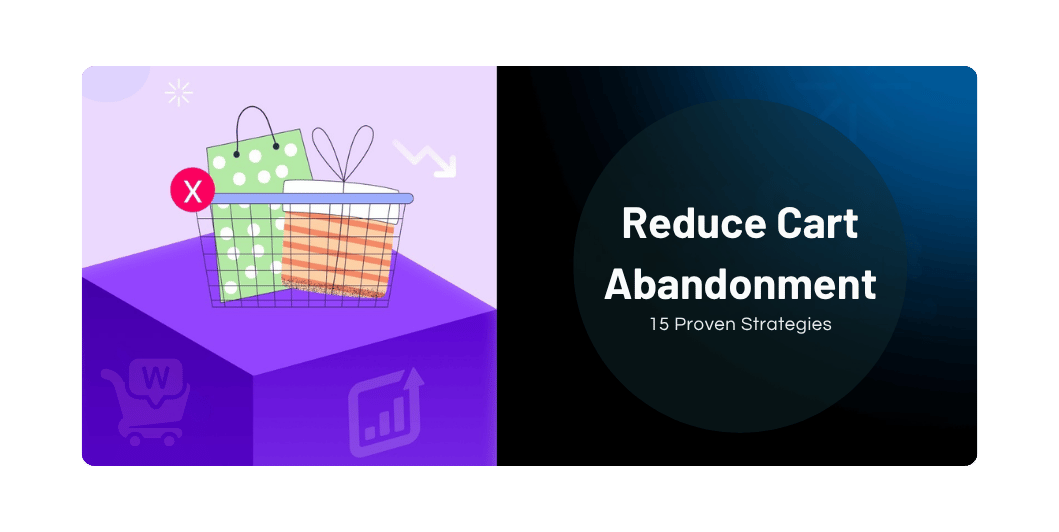
How to Reduce Cart Abandonment in WooCommerce: 15 Proven Strategies for 2026
Introduction
Getting customers to visit your online store is only the beginning.
A customer finds your product, reads the description, chooses an option, and adds it to the cart.
Then something happens.
They leave without completing the purchase.
This is known as cart abandonment, and it is one of the biggest challenges faced by eCommerce businesses.
The good news is that many abandoned carts can be reduced by improving the shopping and checkout experience.
In this guide, we’ll explore 15 practical strategies that can help your WooCommerce store turn more shopping sessions into completed orders.
What Is Cart Abandonment?
Cart abandonment occurs when a customer adds one or more products to their shopping cart but leaves the website without completing the purchase.
For example:
Product → Add to Cart → Checkout → Leave
The customer showed buying intent but didn’t complete the transaction.
Why Do Customers Abandon Their Carts?
Common reasons include:
- Unexpected shipping costs
- Complicated checkout
- Forced account creation
- Limited payment options
- Slow website
- Lack of trust
- Unexpected additional charges
- Poor mobile experience
- Long delivery times
- Technical payment problems
Understanding why customers leave is the first step toward fixing the problem.
15 Ways to Reduce WooCommerce Cart Abandonment
Read Also: WooCommerce for Beginners
1. Simplify Your Checkout
A complicated checkout process can discourage customers.
Remove unnecessary fields and keep the process focused.
Only ask for information that is genuinely required to complete the order.
2. Offer Guest Checkout
Not every customer wants to create an account before purchasing.
Offering guest checkout can reduce friction and allow customers to complete their purchase more quickly.
You can still offer account creation after the order is completed.
3. Display Shipping Costs Clearly
Unexpected shipping charges are a common source of checkout frustration.
Whenever possible, communicate:
- Shipping cost
- Delivery estimate
- Free shipping threshold
- Available delivery options
before the customer reaches the final payment step.
4. Offer Multiple Payment Options
Give customers convenient ways to pay.
Depending on your business and payment provider, this could include:
- UPI
- Credit cards
- Debit cards
- Net banking
- Wallets
- Cash on Delivery
- Other supported payment methods
Don’t add payment options simply for the sake of having more. Offer methods that are relevant to your customers.
5. Build Trust at Checkout
Customers need to feel confident before entering payment information.
Display relevant trust signals such as:
- HTTPS
- Secure payment information
- Customer reviews
- Clear return policy
- Contact information
- Delivery information
Trust can make a significant difference when a customer is deciding whether to complete an order.
6. Optimize Your Website for Mobile
A large percentage of online shoppers use smartphones.
Your checkout should be:
- Responsive
- Easy to navigate
- Fast
- Easy to read
- Simple to complete with a touchscreen
Test the complete checkout process on multiple mobile devices.
7. Improve Website Speed
Slow websites create friction throughout the buying journey.
Optimize:
- Images
- Hosting
- Caching
- Plugins
- JavaScript
- CSS
A faster store creates a smoother shopping experience.
8. Make Your Return Policy Easy to Find
Customers often hesitate when they’re unsure what happens if a product doesn’t meet their expectations.
Make your return and refund policies easy to understand.
Clearly explain:
- Return period
- Eligibility
- Refund process
- Exchange options
- Shipping responsibilities
Transparent policies help customers purchase with greater confidence.
9. Use Strong Product Pages
Customers need enough information to make a buying decision.
Include:
- Clear product images
- Detailed descriptions
- Specifications
- Product variations
- Customer reviews
- Delivery information
- FAQs
The more uncertainty you remove, the easier it becomes for customers to proceed.
10. Use Abandoned Cart Recovery Emails
If a customer leaves after adding a product to their cart, you can send a reminder where appropriate and where the customer has consented to receive such communications.
A recovery sequence could include:
Message 1: Friendly reminder
Message 2: Helpful product information
Message 3: Limited-time incentive, if appropriate
Avoid sending excessive reminders.
11. Consider Exit-Intent Offers Carefully
Some stores use exit-intent popups to provide an incentive when a customer appears ready to leave.
Possible offers include:
- Discount
- Free shipping
- Helpful buying guide
- Newsletter signup
Use these carefully so they don’t damage the user experience or train customers to wait for discounts.
12. Show Delivery Information Early
Customers want to know:
“When will I receive my order?”
Display estimated delivery information as early as practical.
For local or regional businesses, clearly explain the areas you deliver to and expected delivery timelines.
Read Also: Conversion Rate Optimization (CRO)
13. Reduce Checkout Distractions
Your checkout page should have one primary goal:
Complete the purchase.
Avoid unnecessary distractions such as:
- Excessive navigation
- Large promotional banners
- Unrelated offers
- Too many links
Keep the checkout experience focused.
14. Provide Easy Customer Support
Sometimes customers abandon their cart because they have a simple question.
Make it easy to contact you through appropriate channels such as:
- Live chat
- Phone
Answering questions quickly can recover potential sales.
15. Analyze Your Checkout Funnel
Don’t guess why customers abandon carts.
Use analytics to identify where they leave.
For example:
Product Page → Cart → Checkout → Payment → Purchase
If a large number of users disappear between checkout and payment, investigate:
- Payment errors
- Unexpected charges
- Technical issues
- Slow loading
- Lack of preferred payment methods
Data can help you identify the actual problem.
How to Create an Abandoned Cart Recovery Strategy
A simple recovery workflow could look like this:
Step 1 — Cart Abandoned
Customer leaves without purchasing.
Step 2 — Reminder
Send a helpful reminder after an appropriate period.
Step 3 — Follow-Up
Provide additional product or support information.
Step 4 — Incentive
If suitable for your business, provide a limited offer such as free shipping or a discount.
Step 5 — Stop
Don’t continue messaging customers indefinitely.
Your goal is to be helpful—not annoying.
Don’t Always Offer Discounts
Discounts can recover some abandoned carts, but they shouldn’t be your only strategy.
If customers learn that abandoning a cart always results in a discount, they may intentionally wait for an offer.
First fix:
- Checkout problems
- Payment issues
- Shipping transparency
- Trust problems
- Website performance
Then consider incentives where they make business sense.
Measure Your Cart Abandonment Rate
A simple way to calculate cart abandonment rate is:
Cart Abandonment Rate = (1 − Completed Purchases ÷ Created Carts) × 100
For example:
- 1,000 carts created
- 300 purchases completed
Your abandonment rate would be:
70%
Don’t focus only on industry averages. Monitor your own store and look for improvements over time.
WooCommerce Cart Abandonment Checklist
Before launching your store, check:
- Guest checkout is available where appropriate
- Checkout fields are minimized
- Shipping costs are clearly displayed
- Delivery estimates are visible
- Multiple relevant payment methods are available
- Mobile checkout works properly
- HTTPS is enabled
- Return policy is easy to find
- Product information is complete
- Customer support is accessible
- Analytics tracking is configured
- Abandoned-cart recovery is planned
Common Mistakes to Avoid
❌ Hiding Shipping Costs
Unexpected costs can cause customers to leave.
❌ Forcing Account Creation
Give customers an easy path to checkout.
❌ Using a Long Checkout Form
Only request necessary information.
❌ Ignoring Mobile Users
A checkout that works on desktop but fails on mobile can cost sales.
❌ Sending Too Many Recovery Messages
Follow-up should be useful and respectful.
❌ Relying Only on Discounts
Fix the underlying customer experience first.
Read Also: How to Start an E-Commerce Business
Frequently Asked Questions
What is a good cart abandonment rate?
There isn’t one universal number that applies to every store. Compare your own performance over time and investigate unusual changes.
Why do customers abandon WooCommerce carts?
Common reasons include unexpected costs, complicated checkout, payment issues, lack of trust, slow websites, and poor mobile experiences.
Can abandoned carts be recovered?
Yes. Depending on the reason for abandonment, improvements to checkout combined with appropriate reminder campaigns can help recover some lost sales.
Should I offer a discount to recover abandoned carts?
Not necessarily. Try fixing checkout friction first. Discounts can be useful in selected situations, but shouldn’t become the default solution.
Final Thoughts
Cart abandonment is a normal challenge for eCommerce businesses, but it doesn’t have to be accepted as unavoidable.
Start by making your WooCommerce checkout simple, transparent, trustworthy, fast, and mobile-friendly.
Then use analytics to identify where customers are dropping off and implement appropriate recovery strategies.
The goal isn’t simply to get more people to add products to their carts.
The goal is to make it easier for interested customers to complete their purchase.
Small improvements across the checkout journey can make a meaningful difference to your store’s overall revenue.
One Comment