
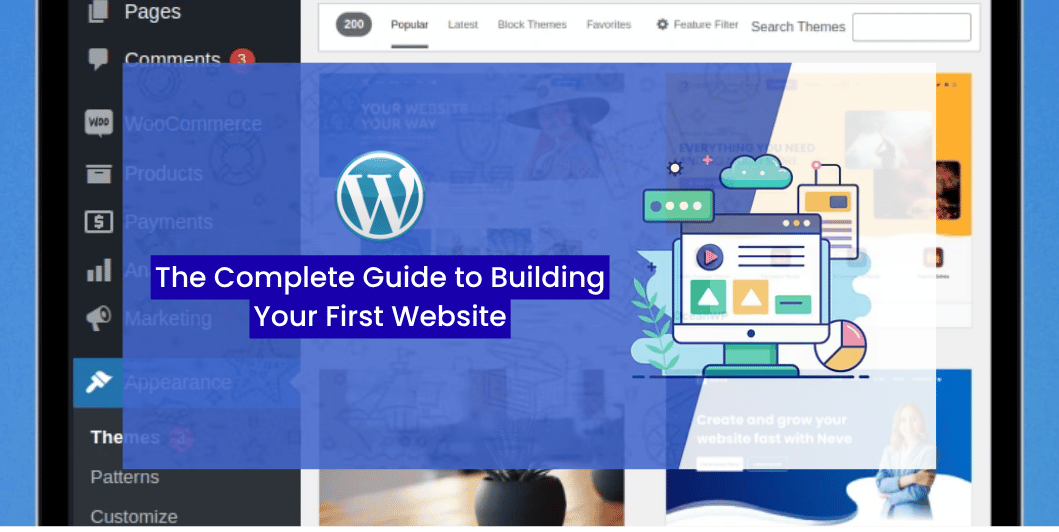
WordPress for Beginners: The Complete Guide to Building Your First Website in 2026
Introduction
If you’re planning to create a website in 2026, you’ve probably come across WordPress.
From personal blogs and portfolio websites to corporate sites and online stores, WordPress powers millions of websites because it’s flexible, beginner-friendly, and highly customizable.
The best part?
You don’t need to be a programmer to build a professional-looking website.
In this guide, we’ll explain what WordPress is, why it’s so popular, and how you can build your first website step by step.
What Is WordPress?
WordPress is a Content Management System (CMS) that allows you to create, manage, and publish website content without writing code.
Originally designed for blogging, it has evolved into a powerful platform capable of building almost any type of website.
With WordPress, you can create:
- Business websites
- Blogs
- Portfolio websites
- E-commerce stores
- Educational websites
- News portals
- Membership websites
- Booking websites
Read More: 10 Reasons Every Small Business Needs a Professional Website
Why Choose WordPress?
WordPress remains one of the most popular website platforms because it offers:
- Easy content management
- Thousands of themes
- Extensive plugin library
- SEO-friendly structure
- Responsive design options
- Strong community support
- Regular updates
It works well for both beginners and experienced developers.
WordPress.org vs WordPress.com
Many beginners confuse these two platforms.
WordPress.org
- Self-hosted
- Full control over your website
- Thousands of themes and plugins
- Ideal for businesses
WordPress.com
- Hosted service
- Easier setup
- Limited customization on lower-tier plans
- Suitable for personal blogs and simple websites
If you’re building a professional business website, a self-hosted WordPress installation generally provides greater flexibility.
Step 1: Choose a Domain Name
Your domain is your website address.
A good domain should be:
- Short
- Easy to remember
- Easy to spell
- Relevant to your business
Example:
yourbusiness.comRead Also: Website Speed Optimization
Step 2: Select Reliable Hosting
A hosting provider stores your website files and makes them accessible online.
When choosing hosting, consider:
- Speed
- Uptime
- Security
- Backups
- Customer support
- Scalability
Reliable hosting contributes to better website performance and user experience.
Step 3: Install WordPress
Many hosting providers offer one-click WordPress installation.
After installation, you’ll receive access to the WordPress dashboard, where you can manage every aspect of your website.
Step 4: Choose a Theme
A theme controls your website’s appearance.
When selecting a theme, look for:
- Mobile responsiveness
- Fast loading
- Regular updates
- Good reviews
- Easy customization
Avoid installing multiple inactive themes you don’t need.
Step 5: Install Essential Plugins
Plugins extend your website’s functionality.
Useful plugin categories include:
- SEO
- Security
- Backup
- Performance optimization
- Contact forms
- Image optimization
Install only the plugins you truly need to keep your website fast and secure.
Step 6: Create Important Pages
Every business website should include:
- Home
- About
- Services
- Blog
- Contact
- Privacy Policy
Depending on your business, you may also need:
- FAQ
- Portfolio
- Testimonials
- Pricing
- Terms & Conditions
Step 7: Customize Your Website
Adjust:
- Logo
- Colors
- Typography
- Navigation menu
- Footer
- Homepage layout
Consistent branding creates a more professional appearance.
Read Also: Website Security Guide
Step 8: Optimize for Mobile Devices
Test your website on:
- Smartphones
- Tablets
- Desktop computers
Responsive design ensures visitors have a good experience regardless of screen size.
Step 9: Improve Website Performance
Enhance your site’s performance by:
- Compressing images
- Limiting unnecessary plugins
- Using caching
- Keeping software updated
Fast websites improve user satisfaction and support SEO efforts.
Step 10: Publish Your Content
Once your website is ready, begin publishing valuable content consistently.
Ideas include:
- Blog posts
- Case studies
- Tutorials
- Customer success stories
- Company updates
- Industry insights
Fresh content keeps your website active and encourages repeat visits.
Common WordPress Mistakes
Avoid these common beginner mistakes:
- Choosing poor-quality hosting
- Installing too many plugins
- Ignoring updates
- Forgetting backups
- Using weak passwords
- Publishing without testing mobile responsiveness
- Not optimizing images
Read Also: How to Start an E-Commerce Business
WordPress Launch Checklist
Before launching your website, ensure you’ve completed the following:
✅ Domain connected
✅ Hosting configured
✅ WordPress installed
✅ Theme customized
✅ Essential plugins installed
✅ SSL certificate enabled
✅ Mobile-friendly design
✅ Contact form tested
✅ Website speed checked
✅ Backup system configured
Frequently Asked Questions
Is WordPress free?
The WordPress software itself is free to use. However, you’ll typically need to pay for a domain name, web hosting, and any premium themes or plugins you choose.
Can I build a business website without coding?
Yes. Modern WordPress themes and page builders allow you to create professional websites with little or no coding knowledge.
Is WordPress good for SEO?
WordPress includes many SEO-friendly features, and additional optimization can be achieved using quality plugins and good content practices.
Can I create an online store with WordPress?
Yes. By adding an e-commerce plugin, WordPress can be used to build and manage a fully functional online store.
Final Thoughts
WordPress continues to be one of the best platforms for building professional websites. Its flexibility, ease of use, and large ecosystem make it suitable for beginners and experienced users alike.
Start with a clear plan, choose reliable hosting, keep your website updated, and focus on creating valuable content. With consistent effort, your WordPress website can become a powerful asset for your business.
3 Comments