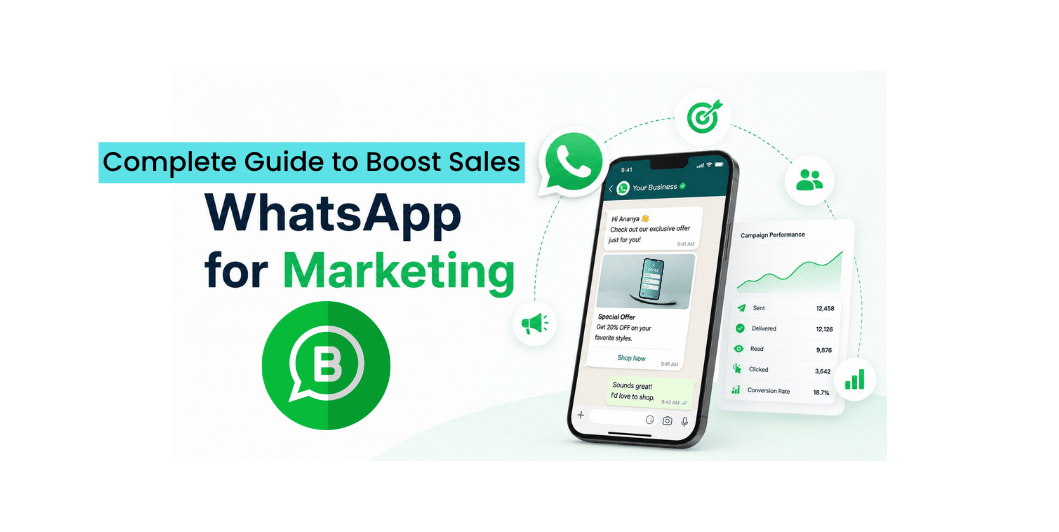
WhatsApp Marketing for Small Businesses: A Complete Guide to Boost Sales and Customer Engagement (2026)
Introduction
Today, customers expect quick, convenient, and personalized communication. Email inboxes are crowded, and social media algorithms often limit your reach.
WhatsApp has changed the way businesses communicate with customers by offering instant messaging, voice calls, video calls, and file sharing—all in one platform.
With billions of active users worldwide, WhatsApp has become one of the most effective marketing and customer support tools for businesses of every size.
Whether you’re running a local shop, an online store, or a service-based company, WhatsApp Marketing can help you connect with customers more efficiently and build stronger relationships.
What Is WhatsApp Marketing?
WhatsApp Marketing is the practice of using WhatsApp to communicate with customers, promote products or services, provide support, and encourage sales.
Businesses commonly use WhatsApp to:
- Answer customer inquiries
- Share product catalogs
- Send order updates
- Book appointments
- Promote special offers
- Collect customer feedback
- Share event reminders
- Build long-term customer relationships
Unlike traditional SMS, WhatsApp supports images, videos, PDFs, voice messages, and interactive communication.
Read More: Lead Generation for Small Businesses
Why WhatsApp Marketing Matters
Using WhatsApp effectively can help businesses:
- Respond quickly to customer questions
- Improve customer satisfaction
- Increase repeat business
- Share promotional offers
- Reduce response times
- Generate qualified leads
- Build stronger customer relationships
It creates a direct communication channel that customers already use daily.
WhatsApp Business vs WhatsApp Messenger
For business purposes, the WhatsApp Business app offers additional features such as:
- Business profile
- Business hours
- Product catalog
- Quick replies
- Labels for customer organization
- Automated greeting messages
- Away messages
These features make customer communication more professional and efficient.
Build Customer Trust First
Before sending promotional messages, make sure customers have agreed to receive updates.
Growing your contact list ethically helps maintain trust and improves engagement.
Avoid adding people to marketing lists without their permission.
Read More: Meta Ads for Small Businesses
Create a Business Profile
A complete business profile should include:
- Business name
- Logo
- Description
- Website
- Email address
- Business hours
- Location
A professional profile increases credibility.
Share Valuable Content
Don’t only send sales messages.
Mix promotional content with valuable information such as:
- Business tips
- Product tutorials
- Customer success stories
- Industry news
- New arrivals
- Special offers
- Event announcements
Providing value keeps customers engaged.
Use Broadcast Lists Wisely
Broadcast lists allow you to send updates to multiple contacts individually.
This works well for:
- New product launches
- Festival offers
- Limited-time discounts
- Business announcements
- Appointment reminders
Keep messages relevant and avoid excessive promotions.
Organize Customers with Labels
WhatsApp Business allows you to categorize conversations using labels.
Examples include:
- New Lead
- Existing Customer
- Payment Pending
- Completed Orders
- VIP Customer
This helps you manage follow-ups more efficiently.
Use Product Catalogs
The built-in catalog feature allows customers to browse products directly within WhatsApp.
Include:
- Product images
- Prices
- Descriptions
- Purchase information
This creates a smoother buying experience.
Automate Common Responses
Automation saves time and improves response speed.
Useful automated messages include:
- Welcome messages
- Away messages
- Frequently asked questions
- Business hours
- Order confirmation messages
Customers appreciate quick replies, even outside business hours.
Read More: Email Marketing for Small Businesses
Measure Your Results
Track metrics such as:
- Number of inquiries
- Response time
- Customer satisfaction
- Sales generated
- Repeat customers
- Click-throughs from shared links
Review these regularly to improve your communication strategy.
Common WhatsApp Marketing Mistakes
Avoid these mistakes:
- Sending messages without customer permission
- Overloading customers with promotions
- Delayed responses
- Incomplete business profile
- Poor-quality images
- Ignoring customer feedback
WhatsApp Marketing Checklist
Before launching your campaign, make sure you have:
✅ WhatsApp Business account
✅ Complete business profile
✅ Customer consent
✅ Product catalog
✅ Quick replies
✅ Greeting message
✅ Broadcast lists
✅ Clear call to action
Read More: Conversion Rate Optimization (CRO)
Frequently Asked Questions
Is WhatsApp Marketing free?
The WhatsApp Business app is free to use. Businesses with advanced messaging needs may choose to use the WhatsApp Business Platform through approved providers, which can involve usage-based costs.
Can WhatsApp generate sales?
Yes. By sharing product information, answering questions promptly, and providing excellent customer service, WhatsApp can support lead generation and sales.
Is bulk messaging allowed?
Businesses should send messages responsibly and only to customers who have agreed to receive them. Following WhatsApp’s policies helps maintain account quality and customer trust.
Should every business use WhatsApp?
If your customers actively use WhatsApp, it can be an effective communication channel for support, marketing, and relationship building.
Final Thoughts
WhatsApp Marketing is more than just sending promotional messages. It’s about building meaningful conversations with customers, providing timely support, and creating a seamless buying experience.
When used responsibly and strategically, WhatsApp can become one of your most effective business communication channels. Focus on helpful, relevant interactions, and you’ll strengthen customer loyalty while supporting long-term business growth.